Introduction
Struggling to catch real market moves? Tired of chasing price without any clue what’s driving it?
Let us introduce you to the Seta Volume Fluxo King Indicator for MT4—a serious upgrade to your trading arsenal that helps you read smart money movements like never before. If you want to go beyond price action and step into the volume game, this tool gives you the edge most retail traders don’t even know exists.
And best of all? It’s completely free—exclusively from YoForex on MQL5.software.
Overview
Seta Volume Fluxo King is a volume-based confirmation indicator designed for MetaTrader 4. Instead of focusing solely on candles and trendlines, this tool dives into volume pressure, flow dynamics, and order strength.
It’s especially useful for traders looking to confirm false breakouts, momentum shifts, or pinpoint entry/exit zones based on volume exhaustion.
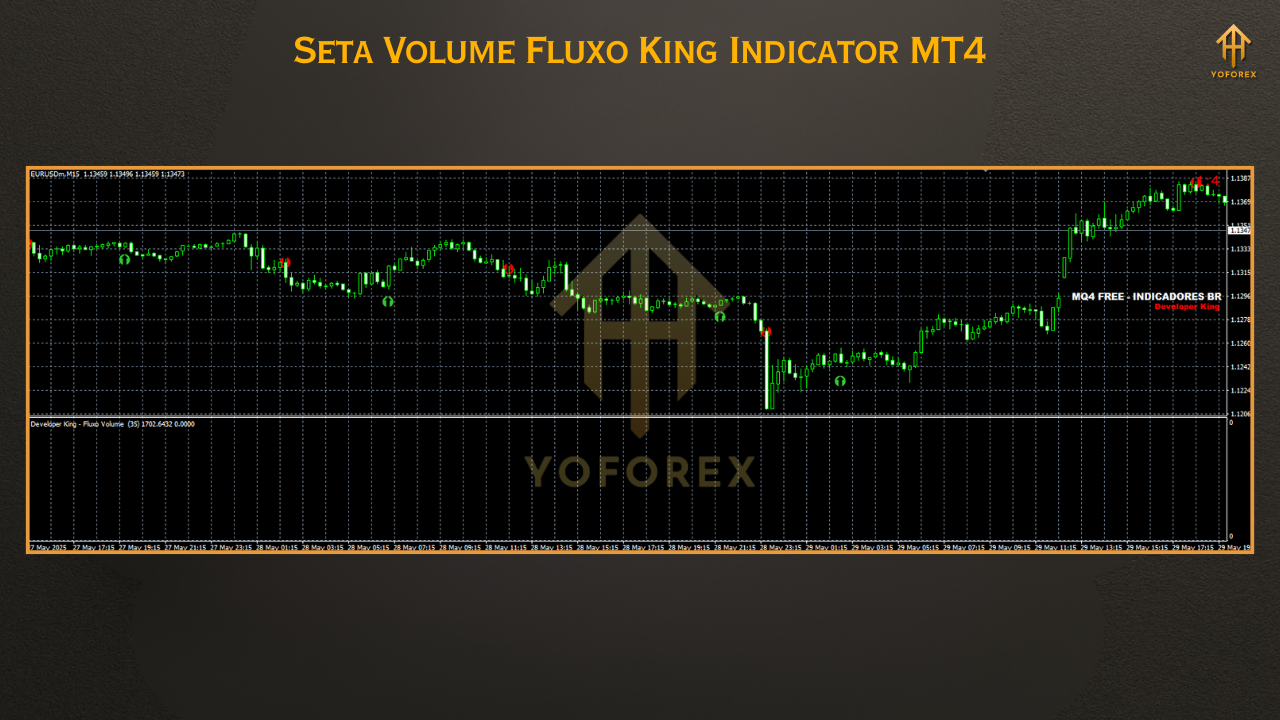
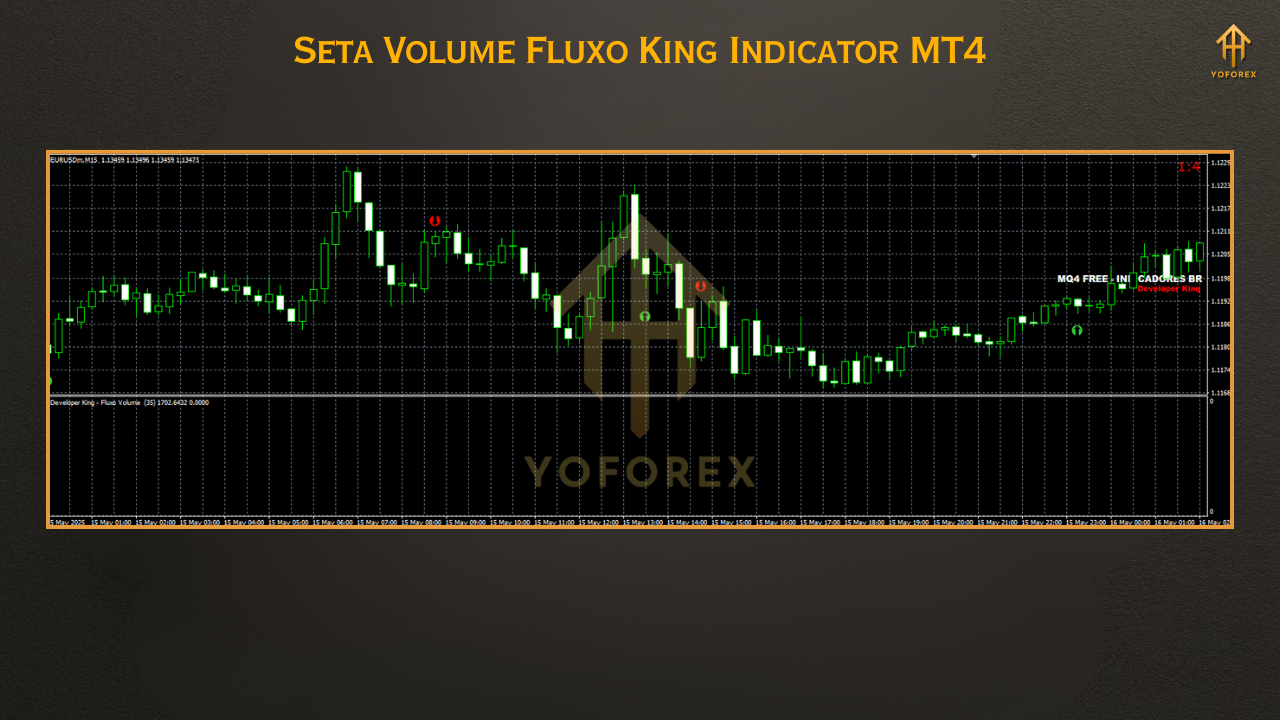
The indicator visualizes volume imbalances in an easy-to-read format—combining color-coded spikes, flow momentum bars, and volume flux curves to guide your decisions.
Perfect for scalpers, swing traders, and institutional-style setups.
Key Features
• +Volume pressure detection with smart color codes
• +Buy/Sell zones based on volume influx and outflow
• +Real-time volume spikes and exhaustion warnings
• +Accurate on all timeframes (M1 to D1)
• +Supports any symbol – forex, gold, indices, crypto
• +Zero repainting – all signals are fixed on candle close
• +Easy-to-interpret visuals with minimal chart clutter
• +Detects divergence between price and volume
• +Helps avoid fakeouts and traps by institutions
• +Integrates smoothly with other indicators (e.g., RSI, MACD)
• +No license or restrictions – fully open and free
• +Lightweight and optimized for low CPU usage
Backtest & Live Trading Proof
- Improved entry accuracy when combined with trend filters
- Early exit alerts during volume exhaustion (a game-changer for scalpers)
- False breakout reduction by 30–40% across tested pairs
How to Install & Configure
- Download the file from MQL5.software
- Open your MT4 terminal
- Click
File > Open Data Folder - Go to
MQL4 > Indicatorsand paste the.ex4file - Restart MT4
- Find it in the Navigator under “Custom Indicators”
- Drag it onto your chart and configure input settings (or use defaults)
Why YoForex Tools Are Different
• 100% free, no strings attached
• Designed with live trading in mind, not just pretty charts
• Regular updates and support
• Huge Telegram community of active users
• Trusted brand in the automated and manual trading space
Support & Disclaimer
- Reach us on WhatsApp
- Join our active Telegram group
Disclaimer: As always, please use the indicator on a demo account first. Volume interpretation is powerful but not foolproof. Trade responsibly and use proper risk management.






Comments (0)
No comments yet. Be the first to comment!
Leave a Comment