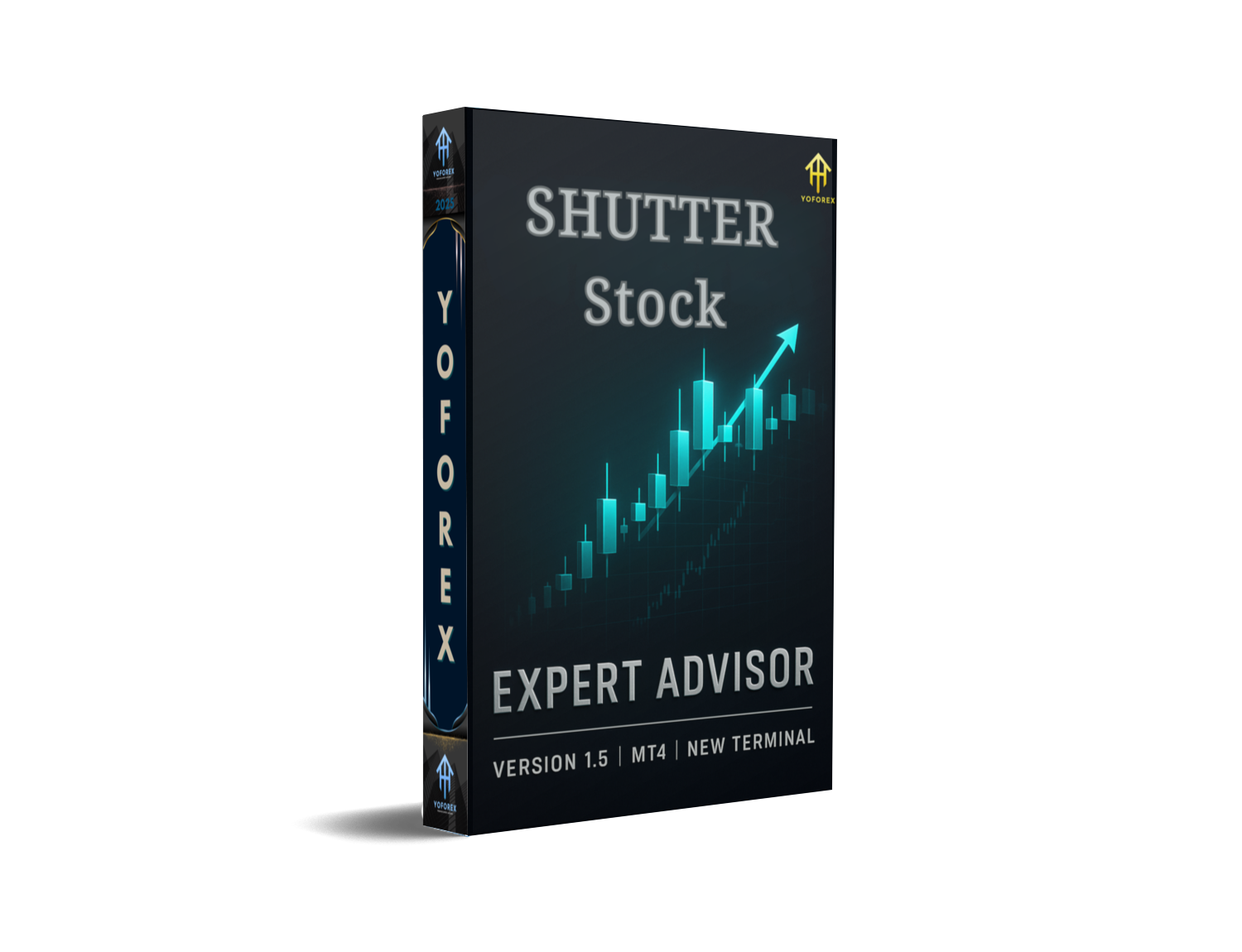
Shutter Stock EA V1.5 MT4 – Smart Signals on Any Major Pair
Introduction
Tired of EAs that promise moonshot returns but choke the moment spreads widen or sessions shift? Yeah, same. Shutter Stock EA V1.5 MT4 was built to trade the market you actually see—not a cherry-picked backtest fairy tale. It blends trend continuation with breakout confirmation and a common-sense risk engine. No martingale required. No weird curve-fit inputs. Just a solid, flexible MT4 expert advisor you can drop onto major forex pairs and get to work.
We designed it to be fast to read and easy to configure. You choose the timeframe that suits your workflow—M5 for scalps, M15–H1 for calmer intraday, even H4 for swing. You can keep default settings and go, or dial the knobs for your style. And coz this is YoForex tech, you’ll get updates, docs, and real-human support when you need it. Simple promise: fewer gimmicks, more execution.
Overview
Shutter Stock EA targets two realities of modern FX:
- Trends start from compression – so we detect orderly pullbacks and measured expansions.
- False breakouts are common – so we confirm with structure and volatility before committing size.
Under the hood, the EA watches a smoothed structure baseline (to establish directional bias), a range/volatility box (to find compression), and impulse detection (to confirm expansion). When bias and expansion align, it looks for a clean pullback or a retest of the breakout area. That’s where entries happen—tight risk, clear invalidation.
Pairs: Built for major forex pairs (EURUSD, GBPUSD, USDJPY, USDCHF, USDCAD, AUDUSD, NZDUSD).
Timeframes: Any. Most users start with M5–M15 for intraday, H1 for calmer flow.
Execution: ECN/low-spread accounts recommended. A VPS helps during news spikes.
Strategy style: Trend-continuation with breakout confirmation; optional counter-trend fade is available but off by default.
You’re in control: risk per trade, max positions, daily loss cap, and session filters. The idea is consistency over chaos—capture the clean legs, skip the chop.
Key Features
• Dual-Engine Entries (Trend + Breakout) – Trade pullbacks in the dominant direction or retest entries right after genuine range escapes.
• Non-Martingale Risk – Fixed-fraction or fixed-lot methods; no compulsory grid or doubling schemes.
• Adaptive Volatility Filter – ATR-based sizing and dynamic stop placement; reduce over-tight SLs in fast markets.
• Session Controls – Limit trading to London/NY or your custom hours; avoid thin Asia if you prefer.
• News Aware (Optional) – Pause around high-impact events using your external calendar feed (guide included).
• Soft Daily Guardrails – Daily loss cap, daily max trades, equity protection stop.
• Multi-Trade Logic (Safe Mode) – Scale in with measured adds only after structure confirms; no blind averaging.
• Smart TP Management – Partial take-profit at 1R/1.5R, runner with trailing step based on swing structure.
• One-Chart, Multi-Pair Ready – Attach per symbol for granular control; templates save your preferred setup.
• Low CPU Footprint – Clean, lightweight calculations built for multi-chart workstations.
• YoForex Support & Updates – Clear docs, quick replies, and version improvements driven by the community.
Backtest Results & Proof
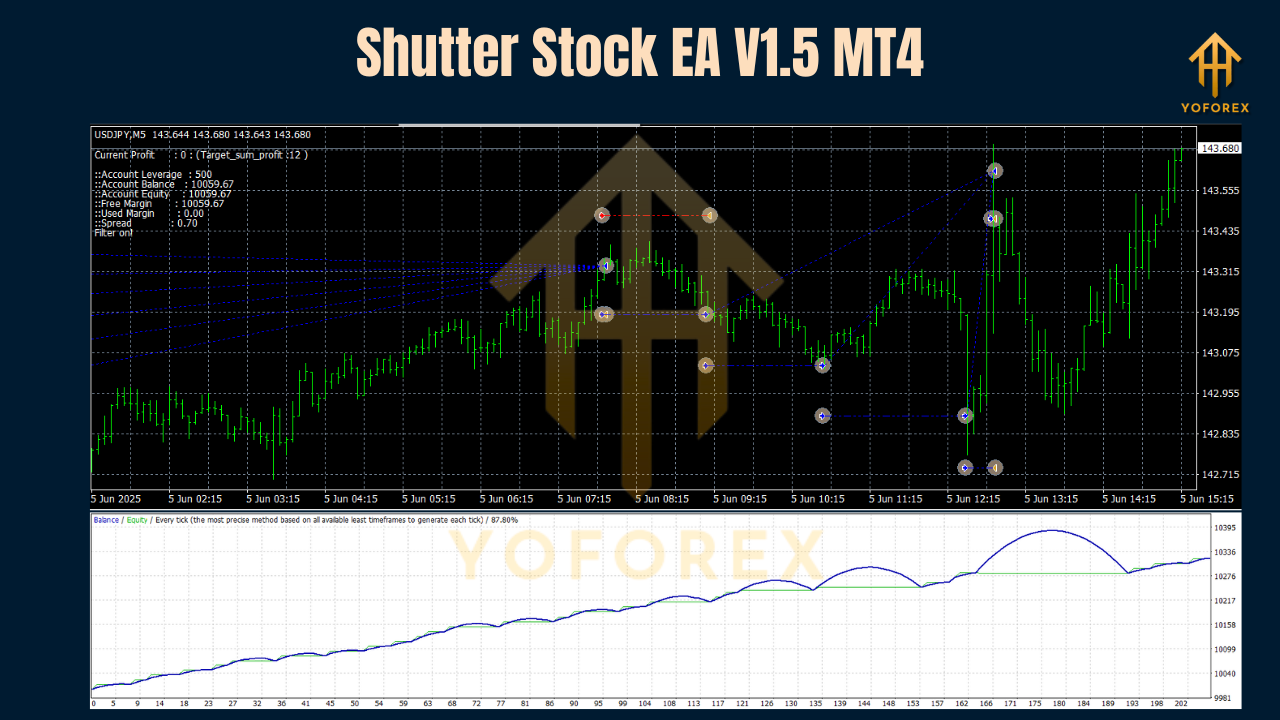
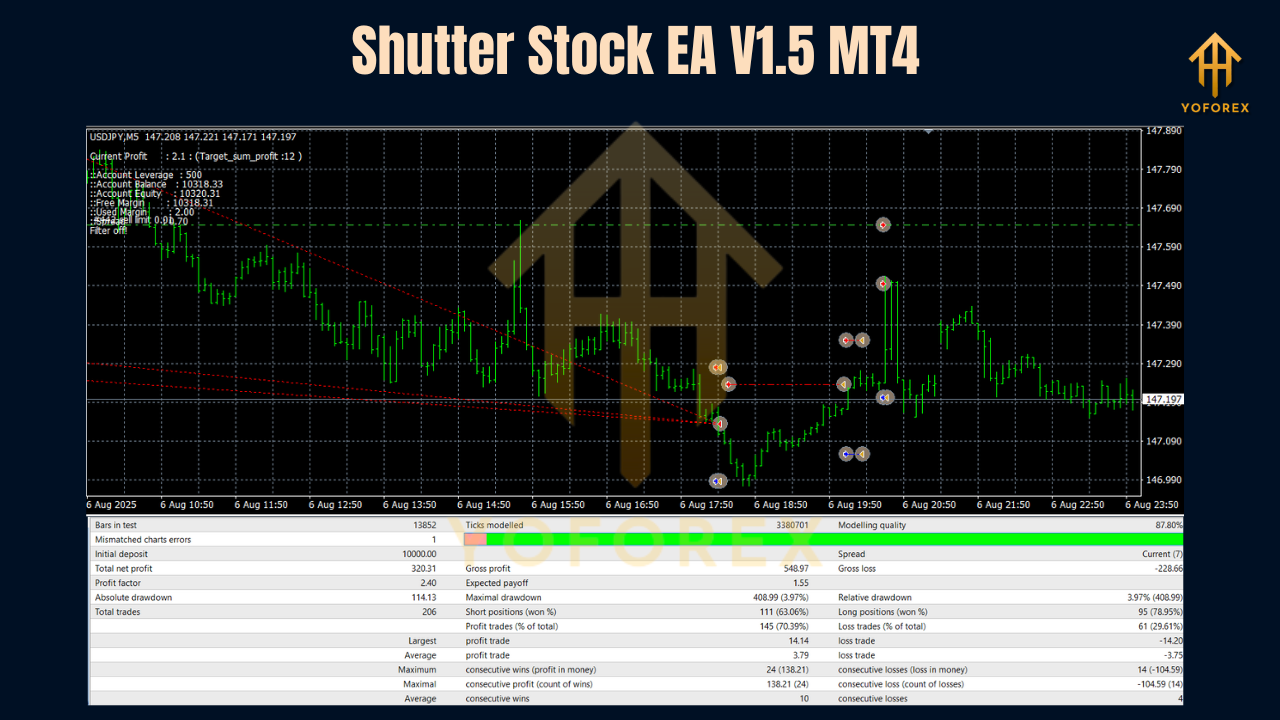
We’re honest: a single backtest number doesn’t equal an edge. What matters is behavior across pairs, timeframes, and market regimes. When you run your own tests (you should), here’s what to look for:
- Stability across majors: EURUSD and GBPUSD tend to show smoother distribution of wins and losses on M15–H1. You should see fewer long flat periods compared with pure mean-reversion robots.
- Volatility handling: On USDJPY or AUDUSD, the ATR-based stop/target logic adapts well during Asia→London transitions. The equity curve should avoid massive jagged drawdowns when Safe Mode is on.
- Breakout retests: After compression, valid expansions often give a retest within 3–15 bars (TF-dependent). The EA is designed to wait for that retest instead of chasing the first spike. This reduces slippage and improves average R multiples.
- Drawdown control: With default risk at 0.5% per trade, typical test sequences keep drawdown within a moderate band when session filters are respected. Push risk if you want, but don’t say we didn’t warn you.
How to Install & Configure (MT4)
- Download the EA from MQL5.software (link below).
- In MT4, click File → Open Data Folder → MQL4 → Experts and paste the EX4 file.
- Restart MT4 or right-click Navigator → Experts → Refresh.
- Drag Shutter Stock EA V1.5 onto your chart. In the Common tab, allow live trading.
- Inputs to review first:
- RiskPerTrade: 0.25–0.5% is a level-headed start.
- MaxOpenTrades: 1–3 (default 2). Keep it lean until you learn the rhythm.
- SessionFilter: Enable London/NY; consider disabling Asia if your broker’s spreads are wide.
- SafeModeAdds: On (default). Adds only after structure confirms, not blindly.
- TP/SL Method: ATR-based with partials at 1R and 1.5R; runner trailed by last swing.
- NewsPause: On if you connect an external calendar (recommended for M5/M15 scalpers).
- Template & Profiles: Save your chart template; build a profile with 4–6 majors to monitor faster.
Practical Playbook
A) London Trend-Continuation (EURUSD M15)
- Setup: Price compresses into a tight box during pre-London. Baseline bias is up.
- Trigger: London open prints an impulse candle; EA flags expansion and waits.
- Entry: First clean retest of the box top; SL below the retest candle’s swing low.
- Management: Partial at 1R, second partial at 1.5R, leave a runner with swing trail.
- Why it works: Captures the day’s first clean leg; avoids chasing the opening spike.
B) NY Breakout-Retest (GBPUSD M15)
- Setup: Sideways mid-day. Volatility compresses; spreads normal.
- Trigger: US session prints expansion beyond the morning range.
- Entry: EA waits for a shallow retest; enters with tight ATR-stop.
- Management: If momentum stalls, the time-based exit closes the runner rather than give it all back.
C) Conservative Swing (USDJPY H1)
- Setup: Higher-timeframe uptrend with periodic pullbacks.
- Trigger: Expansion confirms, pullback respects the baseline.
- Entry: EA tags continuation after a structure higher low.
- Management: Wider ATR stop, partials later; fewer trades, calmer equity.
Pro tips:
- Keep a trade journal with screenshots. You’ll spot which pairs/timeframes fit your temperament.
- Start with 0.25–0.5% risk until you know how the EA behaves on your broker.
- If spreads balloon, trade less or pause. Edge dies when costs explode.
Why Choose YoForex-Powered Tools?
YoForex builds tools we actually use on desks and in prop challenges. Our approach is simple: clear logic, sensible defaults, and real support. We don’t hide crucial parameters or lock risk behind paid upgrades. Feedback from traders becomes the next update. And yes, free access is a policy—not a promo trick.
Want to know more about us? Check the YoForex homepage and tool hub on MQL5.software.
Support & Contact
If you hit a snag or just want a second pair of eyes on your settings, ping us anytime:
- WhatsApp: https://wa.me/+443300272265
- Telegram Group: https://t.me/yoforexrobot
Share your pair, timeframe, broker, and a screenshot. We’ll suggest practical settings—not theory.
Call to Action
Ready to try a clean, risk-controlled EA that actually respects market structure? Grab Shutter Stock EA V1.5 MT4 now—free to download. Install it, test for a week, and see how the trend-plus-breakout logic fits your routine. And if something’s off, shout—our team’s on standby.
YoForex – empowering traders worldwide, one free tool at a time.
Join our Telegram for the latest updates and support



Comments (0)
No comments yet. Be the first to comment!
Leave a Comment