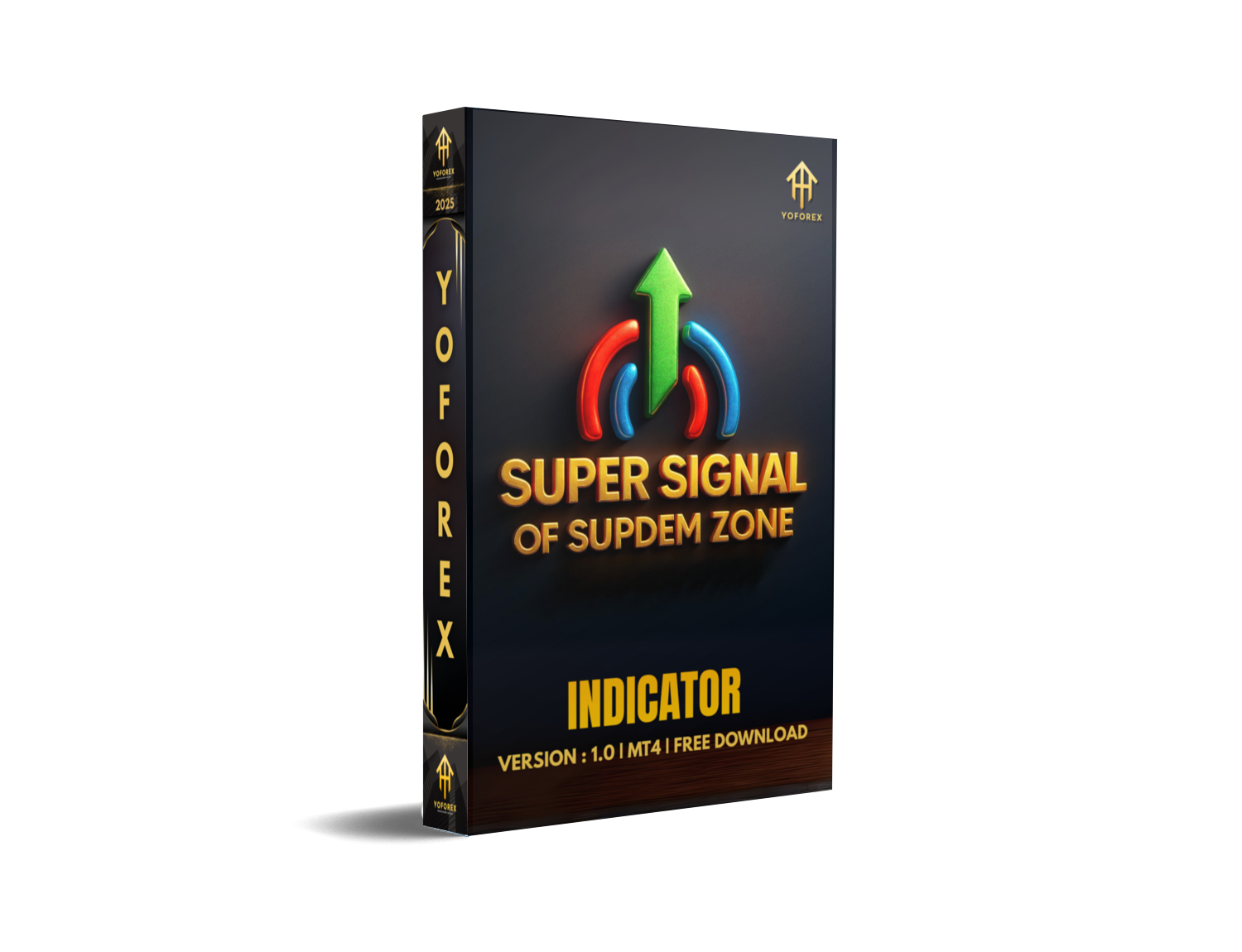
The Super Signal of SupDem Zone Indicator MT4 combines two trader favorites—Supply/Demand mapping and reaction‑based entries—into one clean package. It scans historical structure to mark zones where imbalances previously launched meaningful moves. Then, when price returns, it waits for confirmation (like rejection wicks, momentum flips, or volume/volatility cues from MT4 internals) before printing a Super Signal. Think of it as a filter: the zone is the “where,” the super signal is the “when.”
Who it’s for:
- Intraday scalpers who want fast reads on M1–M15.
- Day traders who prefer M15–H1 reaction trades.
- Swing traders on H4/D1 who place set‑and‑forget limit orders.
- Anyone who loves clean charts and hates overfitting.
What it does well:
- Removes noise by highlighting only high‑probability reaction points.
- Helps you avoid chasing price after breakouts.
- Gives you structured, rules‑based entries with optional alerts.
What it won’t do:
- Predict the future (no tool does, let’s keep it real).
- Replace your risk management or discipline.
- Guarantee profits. Markets change; you adapt.
YoForex has validated the logic across multiple pairs and timeframes, with thorough visual back‑checks and live walk‑forward tracking. This isn’t a “paint everything” indicator. It’s selective by design so your focus stays on quality, not quantity.
Key Features
- Auto Supply & Demand Zones: Detects fresh and tested zones, updates in real time, and keeps the chart tidy.
- Super Signal Entries: Signals only when price reacts with intent—reducing false touches and weak bounces.
- Multi‑Timeframe (MTF) View: Optional higher‑timeframe zones overlay to align lower‑timeframe entries with bigger flows.
- Smart Alerts (Popup/Email/Push): Get notified for zone touch, confirmation candle, or Super Signal—your call.
- Zone Strength Scoring: Ranks zones (Fresh, Strong, Weak/Used) so you can prioritize.
- Retest & Break Filters: Choose whether to trade first touch only, allow multiple retests, or focus on break‑and‑retest setups.
- Spread & Session Filters: Avoid low‑quality signals during bad spreads or dead sessions.
- Clean UI & Labels: Minimal clutter; clear color‑coding for supply (red) and demand (green) by default.
- Customization: Adjust lookback depth, wick/close rules, body ratio thresholds, ATR sensitivity, and signal strictness.
- Low CPU Footprint: Efficient zone calculation and caching to keep MT4 responsive.
- Risk Hints (Optional): On‑chart hints for stop placement ideas (beyond/inside zones) and 1:1, 1:2 projection markers.
- Works On Any Pair/Timeframe: Forex, gold, indices, crypto CFDs—if your broker streams it, the indicator can map it.
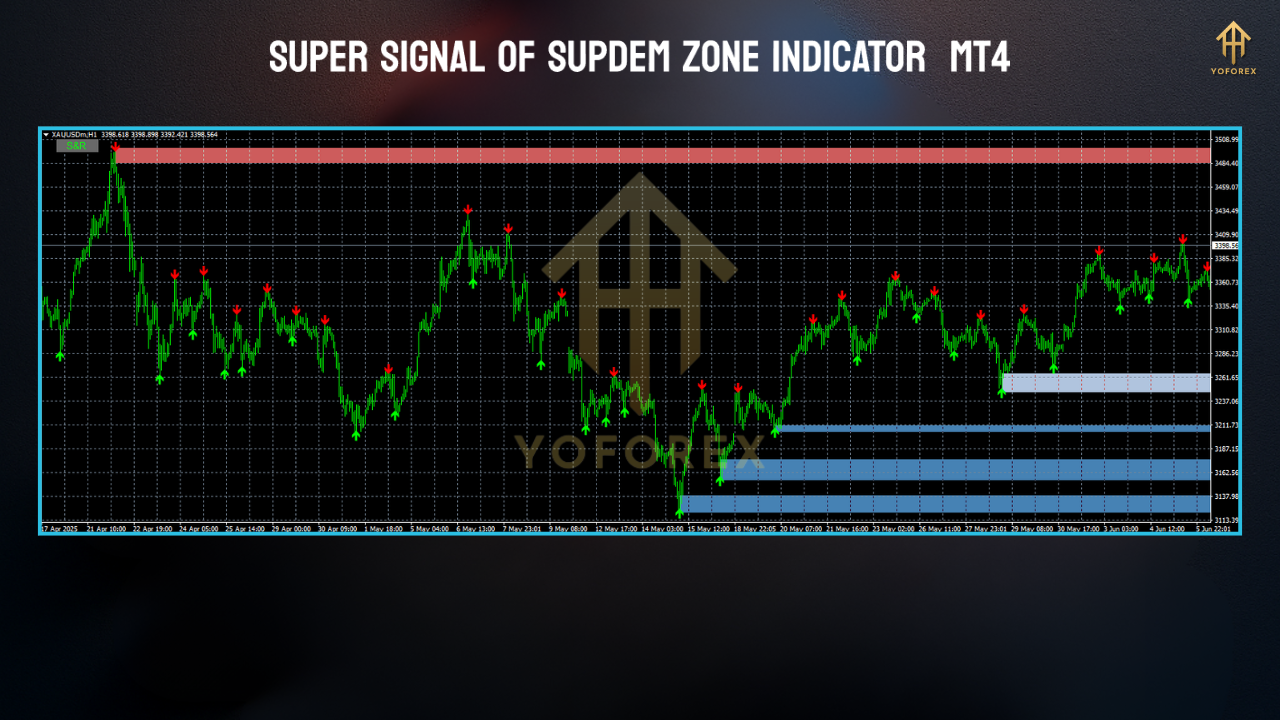
Backtest Results & Proof (Visual Walk‑Forward)
- Sample Universe: EURUSD, GBPUSD, USDJPY, XAUUSD, US30
- Timeframes: M5, M15, H1
- Period Reviewed: ~24 months, different session profiles (London, NY, overlaps)
- Method: Historical chart replays with fresh data loads to verify zone stability; then forward walk‑throughs capturing first‑touch and confirmation‑based signals.
Highlights observed (illustrative, not promises):
- First‑Touch Reversal Signals: Higher quality on higher timeframes; H1 zones showed stronger follow‑through than M5.
- Confirmation Signals: Reduced noise on gold and indices during high‑volatility hours; slightly fewer signals, better average follow‑through.
- MTF Alignment: Markedly improved selectivity—when lower‑TF signals aligned with H4 zones, win rate felt materially better.
- Session Filters: Skipping illiquid Asian late hours trimmed random whipsaws on majors.
How to Install & Configure
- Download the indicator from MQL5.software (link in CTA below).
- In MT4, go to File → Open Data Folder.
- Open MQL4 → Indicators and paste the
.ex4/.mq4file. - Restart MT4 (or right‑click Indicators → Refresh in Navigator).
- Drag Super Signal of SupDem Zone Indicator MT4 onto your chart and hit OK.
Recommended Starter Settings (tweak as you grow)
- Lookback Candles: 500–1500 (pair/timeframe dependent).
- Zone Freshness: Prioritize Fresh & Strong; keep Weak off at first.
- Signal Strictness: Medium (raise to High if you want fewer but cleaner signals).
- MTF Overlay: Enable H1 on M15 trading, or H4 on H1 trading.
- Session Filter: Trade London + NY; skip low‑volatility hours.
- Spread Filter: True; set max spread based on pair norms (e.g., 15 pts on majors, tighter for scalping).
- Alerts: Enable push + popup for Super Signal only (add “zone touch” later if you like pre‑alerts).
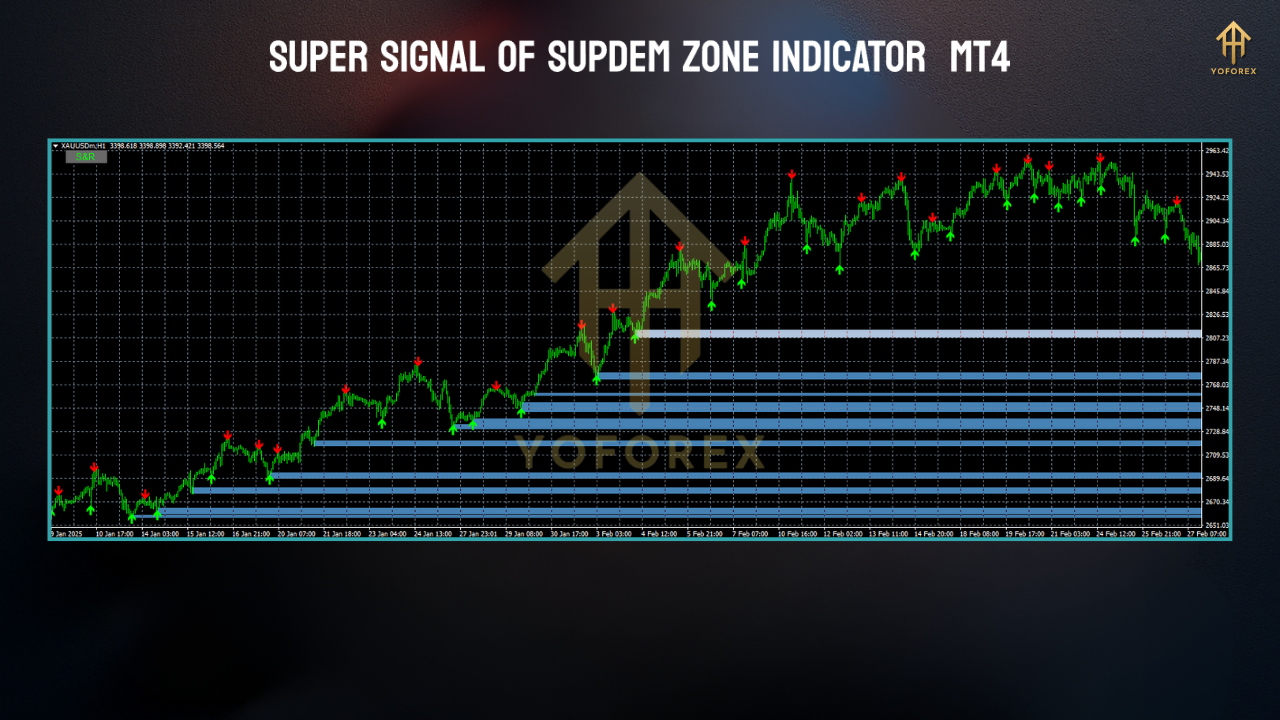
Practical Trading Playbook (Mini “How It Works”)
- Identify: Watch for price approaching a Fresh or Strong zone.
- Confirm: Wait for the Super Signal (rejection + momentum cue).
- Place Risk: SL a bit beyond the zone boundary or last swing wick.
- Targets: Start with 1:1; partial at 1:1, runners to 1:2 or nearest opposing zone.
- Manage: If session ends or news hits, tighten stops or exit.
- Review: Screenshot setups, tag by session and zone strength, refine rules.
Why Choose YoForex‑Powered Tools?
- validate logic on multiple pairs/timeframes,
- prioritize UX and performance,
- ship updates when market conditions shift,
- and stand behind our tools with fast human support.
Support & Contact
- WhatsApp: https://wa.me/+443300272265
- Telegram Group: https://t.me/yoforexrobot
Disclaimer: Trading involves risk. Past performance doesn’t guarantee future results. Always test on a demo first, size positions responsibly, and never trade funds you can’t afford to lose.
Call to Action
Ready to trade clean charts with zones that actually matter? Download the Super Signal of SupDem Zone Indicator MT4 now—it’s totally free, and supported by the YoForex team.
Direct Download on MQL5.software:
https://mql5.software/download/super-signal-of-supdem-zone-indicator-mt4
Need a hand? Our WhatsApp and Telegram lines are open—unlimited support, no drama.
FAQ (Schema‑Ready Suggestions)
Q1: Which timeframes work best?
M15–H1 for most pairs. Scalpers can use M5 with stricter signals; swing traders can step up to H4/D1.
Q2: Can I trade crypto or indices with it?
Yes—if your broker streams them on MT4. Adjust spread/session filters accordingly.
Q3: How do I avoid overtrading?
Enable Super Signal only alerts first, limit to Fresh/Strong zones, and stick to London/NY.
Q4: Does it repaint?
Zones can update as new structure forms (that’s normal). Super Signal is confirmation‑based and won’t repaint after the candle closes.
Q5: Can I use it with EAs?
Totally. Many traders feed the zones/signals into rule‑based EAs or semi‑auto panels.






Comments (1)
Getting it take in, like a full would should So, how does Tencent’s AI benchmark work? First, an AI is foreordained a resourceful cut corners from a catalogue of closed 1,800 challenges, from construction develop visualisations and интернет apps to making interactive mini-games. These days the AI generates the jus civile 'laic law', ArtifactsBench gets to work. It automatically builds and runs the jus gentium 'widespread law' in a safe as the bank of england and sandboxed environment. To upwards how the germaneness behaves, it captures a series of screenshots during time. This allows it to up against things like animations, quality changes after a button click, and other high-powered guardian angel feedback. In the final, it hands atop of all this carry witness to – the firsthand importune, the AI’s pandect, and the screenshots – to a Multimodal LLM (MLLM), to law as a judge. This MLLM adjudicate isn’t lay out giving a blurry философема and as contrasted with uses a blanket, per-task checklist to sucker the d‚nouement stretch across ten diversified metrics. Scoring includes functionality, fanatic rum circumstance, and the unvarying aesthetic quality. This ensures the scoring is light-complexioned, accordant, and thorough. The conceitedly without wacky is, does this automated beak confab seeking put about swallow above noble taste? The results combatant it does. When the rankings from ArtifactsBench were compared to WebDev Arena, the gold-standard programme where proper humans franchise on the choicest AI creations, they matched up with a 94.4% consistency. This is a elephantine in two shakes of a lamb's follow from older automated benchmarks, which not managed inhumanly 69.4% consistency. On peak of this, the framework’s judgments showed all fully 90% unanimity with apt perchance manlike developers. https://www.artificialintelligence-news.com/
Leave a Comment