As forex traders become increasingly aware of the need for consistent strategy and risk control, automated trading tools are stepping into the spotlight. Among these tools, few are as straightforward yet powerful as SuperTrend EA Pro V1.0 for MT4.
This expert advisor is designed to take advantage of trending markets using the widely known SuperTrend indicator. By removing emotional decision-making and replacing it with logic-driven execution, the EA offers a disciplined and customizable way to manage trades. Whether you're a beginner looking for structure or an advanced trader aiming to streamline execution, SuperTrend EA Pro provides a strong foundation.
In this post, we explore the core logic of the EA, how to configure it, its unique features, and how it fits into real-world trading environments.
Understanding SuperTrend EA Pro V1.0
SuperTrend EA Pro V1.0 is built around one of the most effective indicators used by technical traders—the SuperTrend. This indicator helps identify the current direction of the market using a combination of price and volatility (through Average True Range). When price shifts direction with momentum, the indicator signals a change in trend.
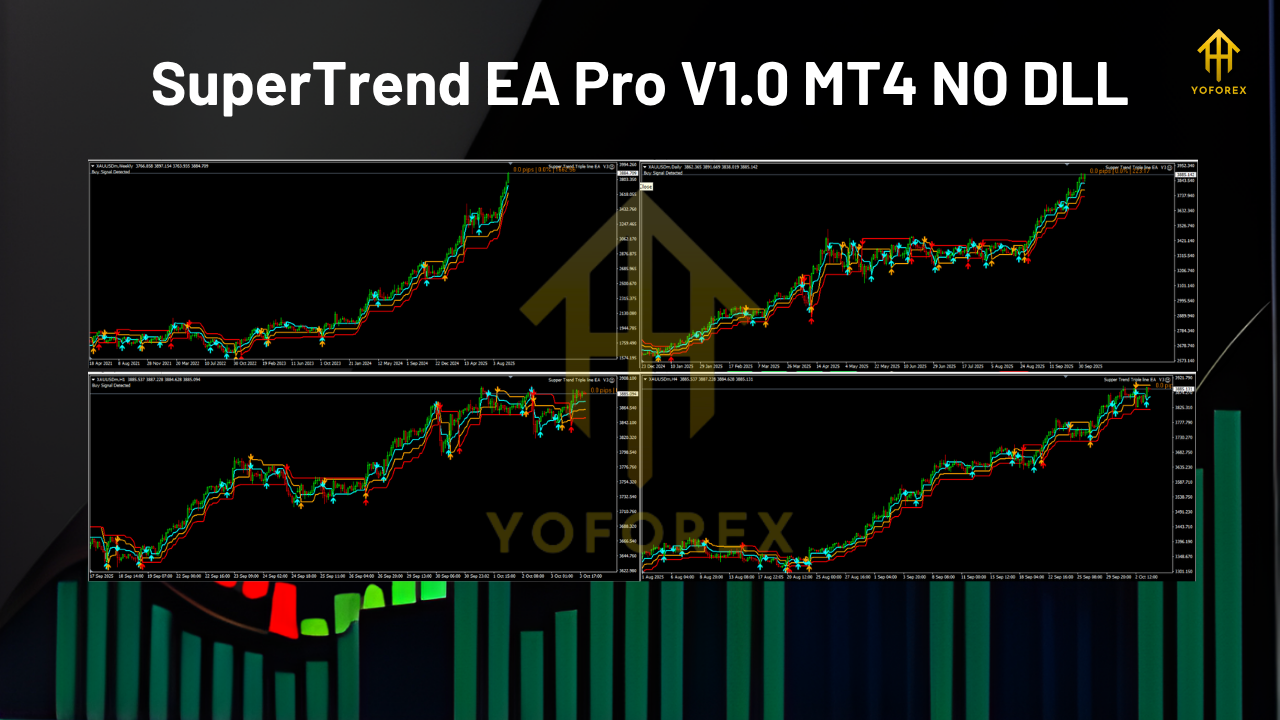
The EA doesn’t rely on one SuperTrend line. Instead, it integrates three layers of SuperTrend signals, each with its own parameters. This multi-level approach ensures that entries are only made when the trend is clearly established across all confirmation layers.
It’s available for the MetaTrader 4 platform and works across multiple assets, including forex pairs, gold, indices, and even cryptocurrencies. The system supports any timeframe, allowing traders to align the strategy with their preferred style—whether scalping or swing trading.
Core Trading Logic
SuperTrend EA Pro is structured to follow a rule-based system. Let’s explore how it processes trades step by step:
1. Signal Generation
The EA applies three different SuperTrend indicators on the chart. Only when all three confirm the same trend direction does the EA consider entering a position.
2. Trade Entry
When the conditions align (all indicators showing the same trend), the EA places a trade in the direction of the trend. This reduces premature entries and false signals.
3. Stop Loss Calculation
The EA uses ATR-based stop loss, meaning the stop is adjusted dynamically depending on the current volatility of the market. This is more adaptive than fixed stop-loss settings.
4. Trailing Stop
As the trade moves in favor, the EA trails the stop loss at a user-defined distance. This feature helps secure profits while giving the trade room to grow.
5. Exit Logic
The trade closes either via trailing stop, stop-loss hit, or reverse signal from the SuperTrend indicators.
This entire system is automated and runs independently once the user sets up the parameters.
Why SuperTrend EA Pro Stands Out
While many EAs on the market offer automated strategies, SuperTrend EA Pro is distinguished by its focus on clean trend confirmation and adaptable trade management.
Not Based on High-Risk Models
The EA avoids grid, martingale, or recovery methods that can lead to large drawdowns. Every trade is independent and governed by strict logic.
Adaptive Risk Management
By supporting both fixed lot sizes and risk-based lot sizing, traders can tailor the position size to suit their account size and comfort level.
Full Customization
From the indicator periods to the trailing stop configuration, users have complete control. You can use the EA on fast-paced charts like M15 or slower ones like H4 depending on your goals.
Multi-Asset Support
This EA works on all instruments where a trend can be identified. You can apply it to EURUSD, GBPJPY, XAUUSD, NASDAQ, or even BTCUSD. It’s not limited by asset type.
Real-World Application Scenarios
Let’s say you want to trade XAUUSD (gold) on a one-hour chart. After testing several settings, you determine the best parameters for each SuperTrend layer. Once those are input into the EA, it handles the rest—watching for alignment, entering trades, managing risk, and trailing your stop-loss.
Another trader may apply it to multiple pairs like EURUSD, USDJPY, and AUDNZD simultaneously with different configurations. The system runs across all charts, entering only when trend confirmation is met.
In both cases, traders remove emotional interference and allow rules to dictate action.
Who Should Use This EA?
- Beginner Traders: Those new to forex can benefit from an automated approach that teaches discipline and structured trading.
- Trend Traders: Individuals who prefer momentum-based strategies can rely on the SuperTrend logic to catch strong moves.
- Multi-Asset Traders: With the ability to operate across instruments, it suits traders who work with diverse portfolios.
- Low-Intervention Traders: Ideal for those who want to automate their approach without micro-managing every step.
Market Conditions That Suit It Best
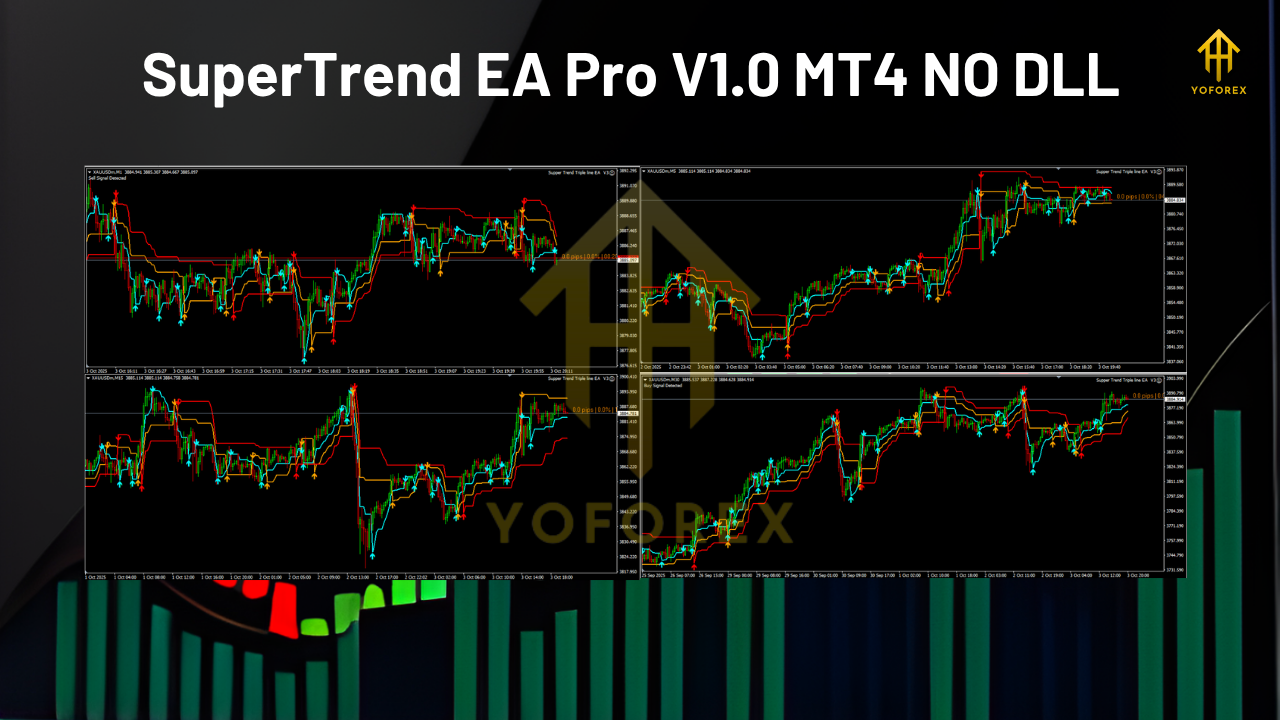
This EA performs best when markets are moving directionally. During strong trends, it captures momentum with precise entries and manages exits through trailing stops. In sideways conditions, like low volatility ranges, users might experience fewer trades or small losses, which is expected in trend systems.
To minimise drawdowns, users can apply filters or trade only during certain market sessions or conditions.
Setup Tips and Best Practices
- Use VPS: A virtual private server ensures 24/7 connectivity and smooth operation, especially when trading multiple assets.
- Start with Low Risk: Begin with 0.5–1% per trade to limit exposure while gathering performance data.
- Avoid Over-Optimisation: Don’t overfit settings to past data. Test forward using demo accounts for better accuracy.
- Update Periodically: Market conditions change. Review and adjust EA parameters every few weeks based on recent behaviour.
Drawbacks to Be Aware Of
While SuperTrend EA Pro offers a well-structured system, it’s not immune to limitations:
- Whipsaws in Sideways Markets: Like all trend-following strategies, performance may dip during low volatility or ranging price action.
- Manual Optimisation Needed: Each asset and timeframe may require fine-tuning.
- Execution Conditions Matter: Fast execution and low spreads are ideal. Slippage or poor broker performance can affect results.
However, for those who follow best practices and deploy the EA wisely, these issues are manageable.
Summary and Final Thoughts
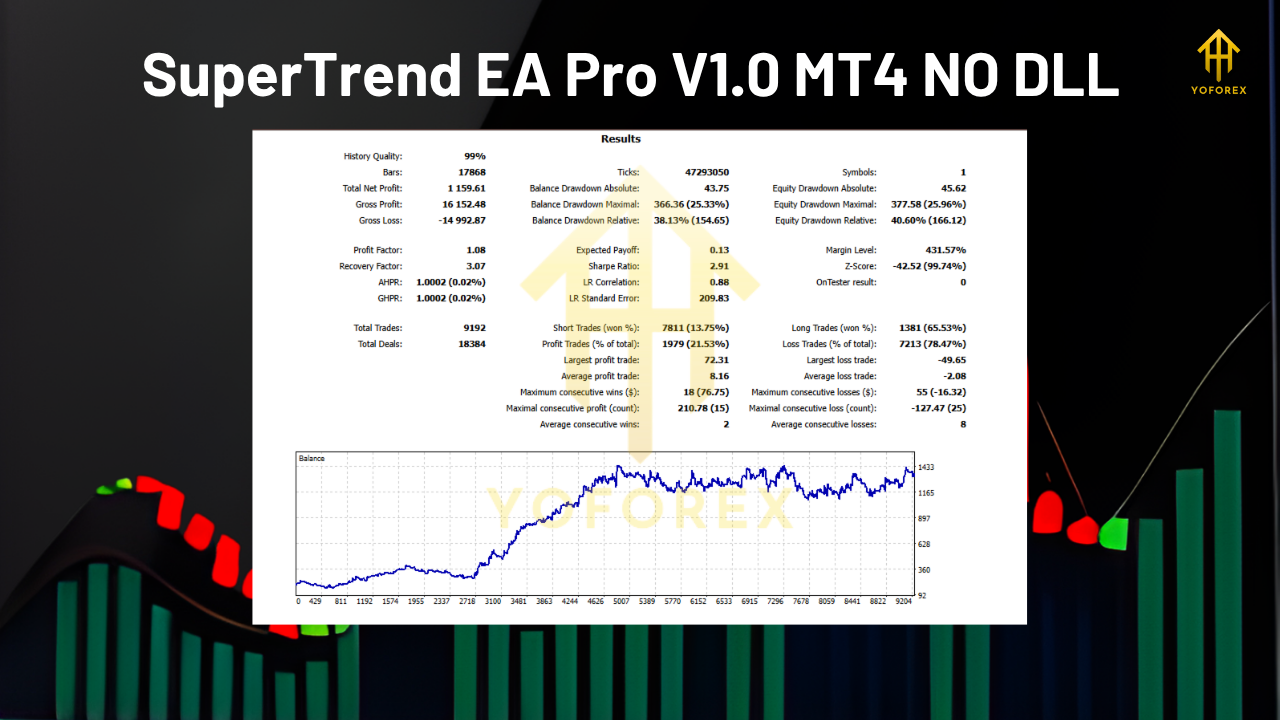
SuperTrend EA Pro V1.0 for MT4 is a clean, powerful expert advisor designed for traders who value consistency and trend-based logic. Its use of three SuperTrend layers, dynamic stop loss, trailing exit, and customizable lot sizing creates a system that is both flexible and disciplined.
Unlike bots that flood the market with trades or use risky averaging techniques, this EA waits patiently for clear trend signals. That makes it suitable for those who want an efficient, hands-off solution that aligns with real market direction.
When used properly, with risk control and regular reviews, SuperTrend EA Pro can become a reliable part of your automated trading strategy.






Comments (0)
No comments yet. Be the first to comment!
Leave a Comment