
Let’s face it—most free indicators either repaint like crazy or flood your chart with signals that barely make sense. Frustrating, right?
Enter the Trade X SA Indicator for MT5 — a game-changing tool that gives accurate, non-repainting buy/sell signals backed by trend logic. Whether you’re just starting out or looking for an extra confirmation layer in your strategy, this indicator was built to cut through the noise.
And the best part? It’s 100% free and verified by the YoForex team.
So if you’re tired of chasing shadows and want something that just works, let’s break it down.
Overview: What Is Trade X SA Indicator MT5?
Trade X SA is a technical indicator for MetaTrader 5 (MT5) that simplifies market direction by showing you exactly when to buy and sell — with confidence.
Designed for scalpers, day traders, and even swing traders, this tool uses a mix of price action logic, volatility filters, and trend confirmation layers to highlight potential trade entries. It's clean, lightweight, and works across all major currency pairs, gold, crypto, and indices.
Whether you're new to trading or a seasoned chart ninja, Trade X SA plugs smoothly into any strategy and can be used as a standalone system or as a confluence tool.
Key Features of Trade X SA Indicator MT5
- • Real-time buy/sell arrows for fast decision-making
- • Non-repainting logic – signals stay on chart
- • Works on all MT5 timeframes (M1 to D1)
- • Supports any asset: forex, indices, crypto, gold
- • Built-in trend filter to avoid false entries
- • Entry + exit points visually marked
- • Customizable alerts (desktop, email, push)
- • Clean user interface – no clutter
- • Works well with support/resistance strategies
- • Designed for both beginners and pros
- • Free lifetime updates via YoForex
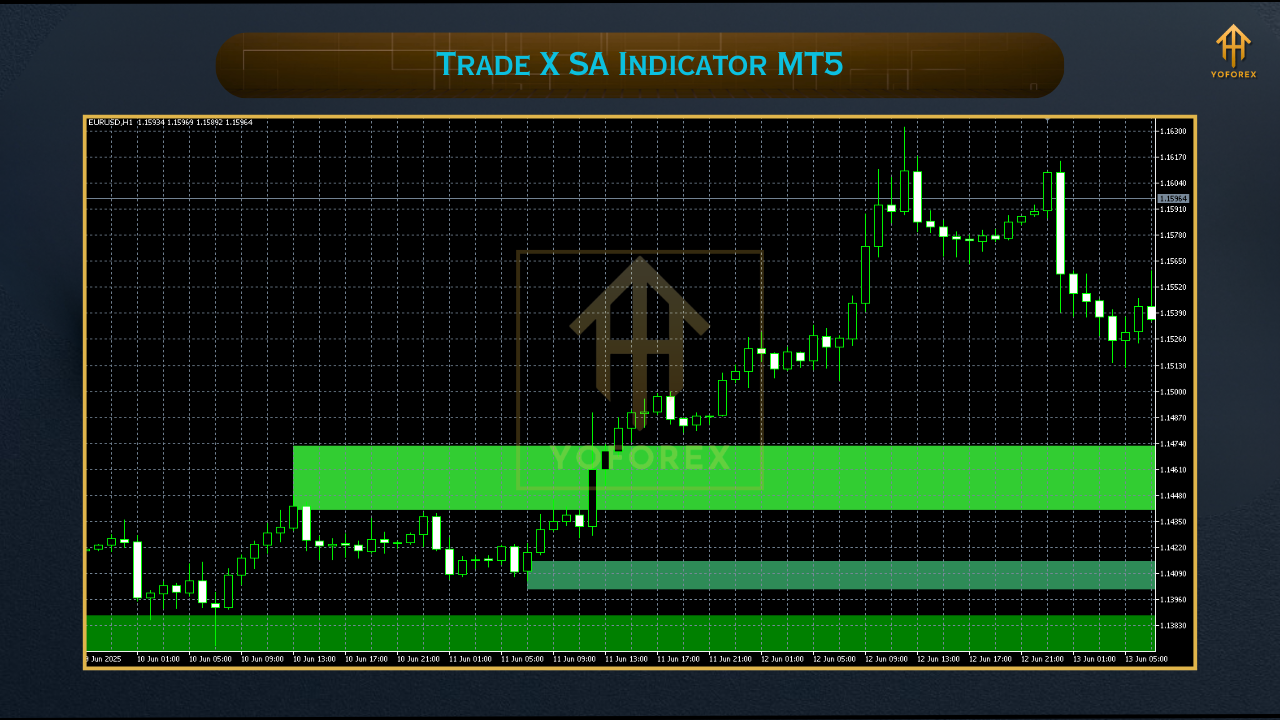
How It Works: Smart Signal Flow
- Indicator scans for short-term market imbalances
- Applies volatility and trend confirmation filters
- If all conditions align, it plots a Buy or Sell arrow
- You receive a real-time alert
- Use your own TP/SL or combine with an EA for automation
Live Examples & Use Case
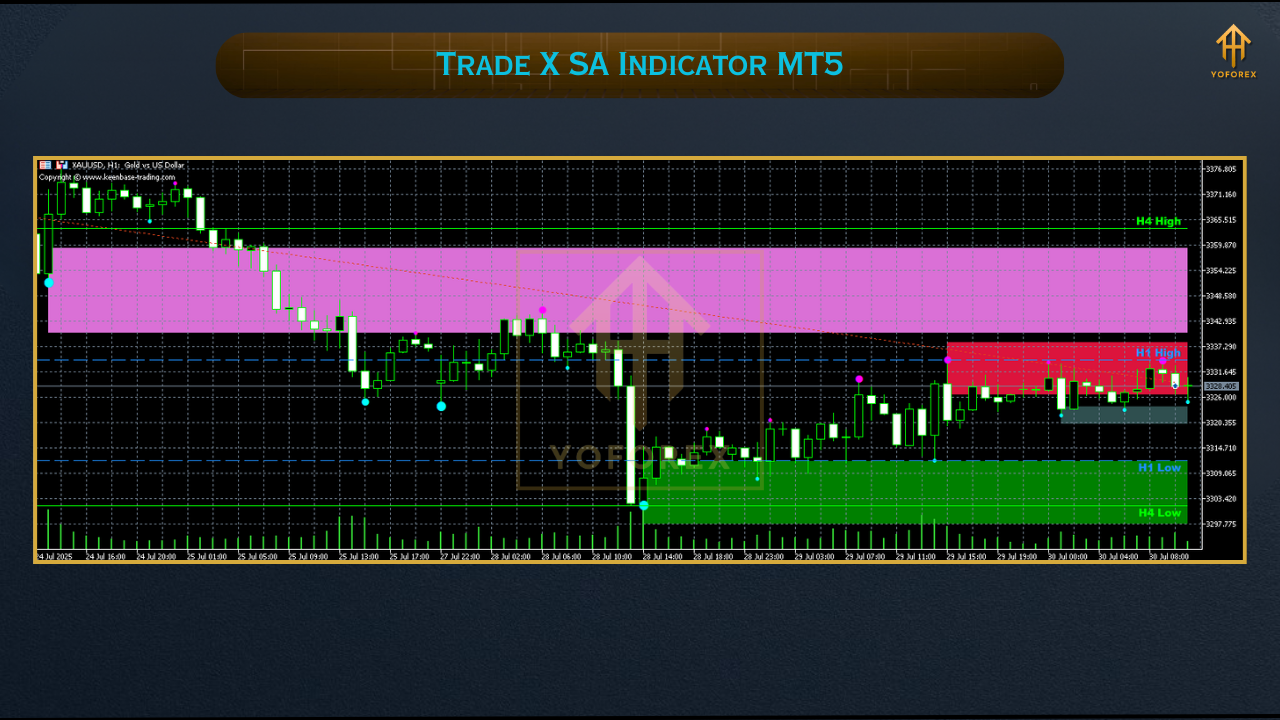
- A Buy signal appears after consolidation with price breaking above resistance.
- You enter long, set your SL just below structure, and TP at the next resistance.
- The arrow remains visible — no repainting funny business.
- Moving averages
- Stochastic RSI
- Support/resistance zones
How to Install the Trade X SA Indicator on MT5
- Download the indicator file from MQL5.software
- Open MetaTrader 5 → Click
File > Open Data Folder - Navigate to
MQL5 > Indicators - Paste the
.ex5file inside - Restart MT5
- Open any chart → Drag
Trade X SAonto it - Tweak input settings if needed
Why Traders Love YoForex Tools
- All our tools are free to download
- Tested and refined with real market data
- Compatible with both manual and automated strategies
- We provide lifetime support and no hidden fees
Need Help? Contact Us Anytime
- WhatsApp Chat: https://wa.me/+443300272265
- Telegram Group: https://t.me/yoforexrobot
Disclaimer: This tool is for educational purposes only. Trade at your own risk. Always test new tools on a demo account before going live.
Final Thoughts: Don’t Just Guess — Trade with Confidence
Markets are noisy. Indicators are everywhere. But few are this clean, this reliable, and this free.
Trade X SA Indicator MT5 doesn’t claim to predict the future — but it sure as heck helps you spot quality setups when they matter most.
So stop second-guessing and start trading smarter.
???? Download Trade X SA Indicator MT5 now from MQL5.software – 100% free, forever.






Comments (0)
No comments yet. Be the first to comment!
Leave a Comment