TradeXcel EA XAUUSD EA V1.20 MT5 – Advanced Gold Trading Expert Advisor for MetaTrader 5
The gold market, represented by the XAUUSD pair, remains one of the most liquid and volatile trading assets available in the forex market. Traders seeking consistent opportunities often turn to automation to gain an edge in this dynamic environment. Enter TradeXcel EA XAUUSD EA V1.20 for MT5 – a powerful Expert Advisor (EA) built specifically to handle the intricacies of trading gold on the MetaTrader 5 platform.
Whether you're a seasoned trader looking to automate your gold trading strategy or a beginner seeking consistent profits without the emotional pitfalls of manual trading, this EA aims to deliver a robust and adaptable solution.
What is TradeXcel EA XAUUSD EA V1.20?
TradeXcel EA V1.20 is a fully automated trading robot engineered for the XAUUSD (gold vs US dollar) pair on the MetaTrader 5 (MT5) platform. Unlike many generic Expert Advisors, this EA is finely tuned for the behavior of gold, taking into account its high volatility, price patterns, and liquidity.
The EA is designed to work on any timeframe, providing traders with flexibility across intraday, swing, and long-term strategies. However, its algorithms are optimized to capture short- to medium-term price movements, making it suitable for scalping and intraday trading styles.
Key Features of TradeXcel EA V1.20
1. Optimized for XAUUSD
Unlike multi-pair EAs that try to handle every instrument with a single set of logic, TradeXcel EA is tailored specifically for gold. This means that its indicators, entry rules, and risk management techniques are based on historical and real-time gold market behavior.
2. Timeframe Independent
The EA can be deployed on any timeframe, but its dynamic algorithms auto-adjust based on price action, volatility, and market structure. This gives traders the ability to test and trade across M1 to H4 charts with confidence.
3. Advanced Entry and Exit Logic
TradeXcel EA utilizes a combination of technical indicators such as moving averages, ATR, and price action filters to time entries with precision. Exit strategies include trailing stop-loss, partial profits, and smart break-even algorithms to lock in profits and reduce drawdown.
4. Smart Risk Management
Money management is a cornerstone of the EA. Traders can set fixed lot sizes, use a percentage of account equity, or deploy advanced compounding strategies. Built-in risk controls prevent overtrading during high-impact news events or unpredictable market spikes.
5. No Martingale or Grid
One of the biggest dangers in automated trading is the overuse of risky strategies like martingale or grid trading. TradeXcel EA V1.20 avoids these by implementing controlled and safe trading techniques that are sustainable over the long term.
6. Backtested and Forward-Tested
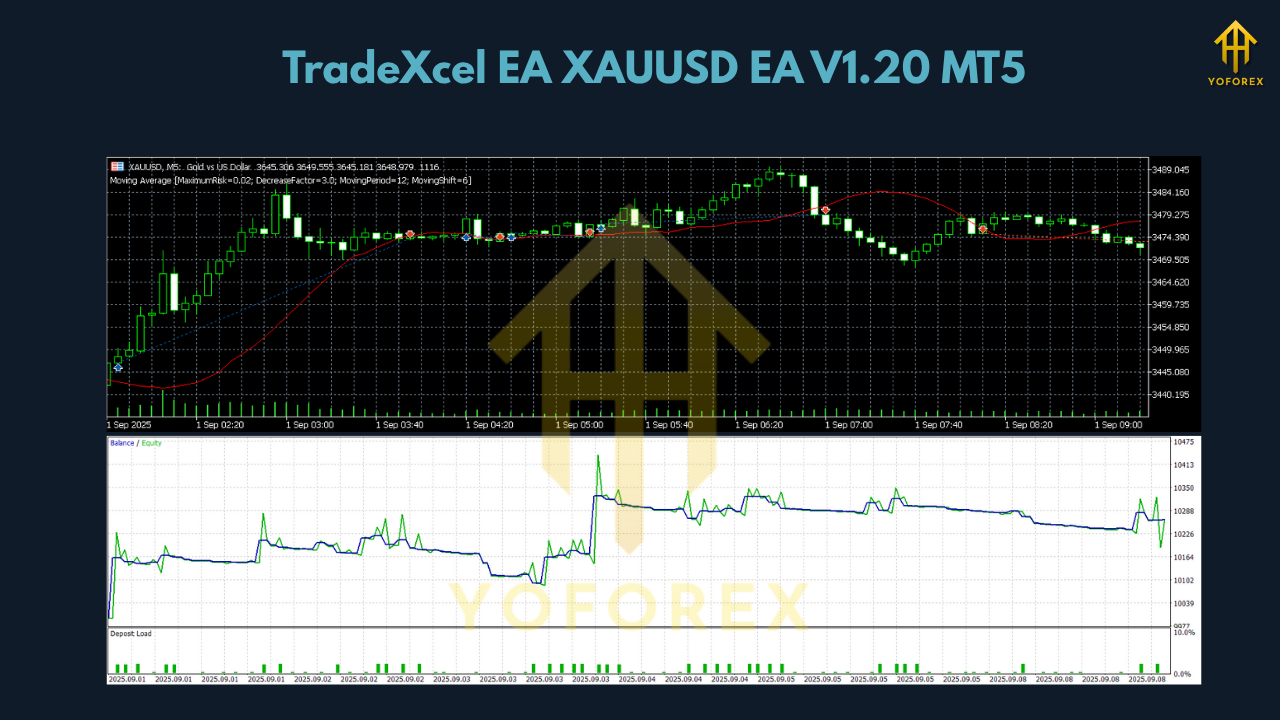
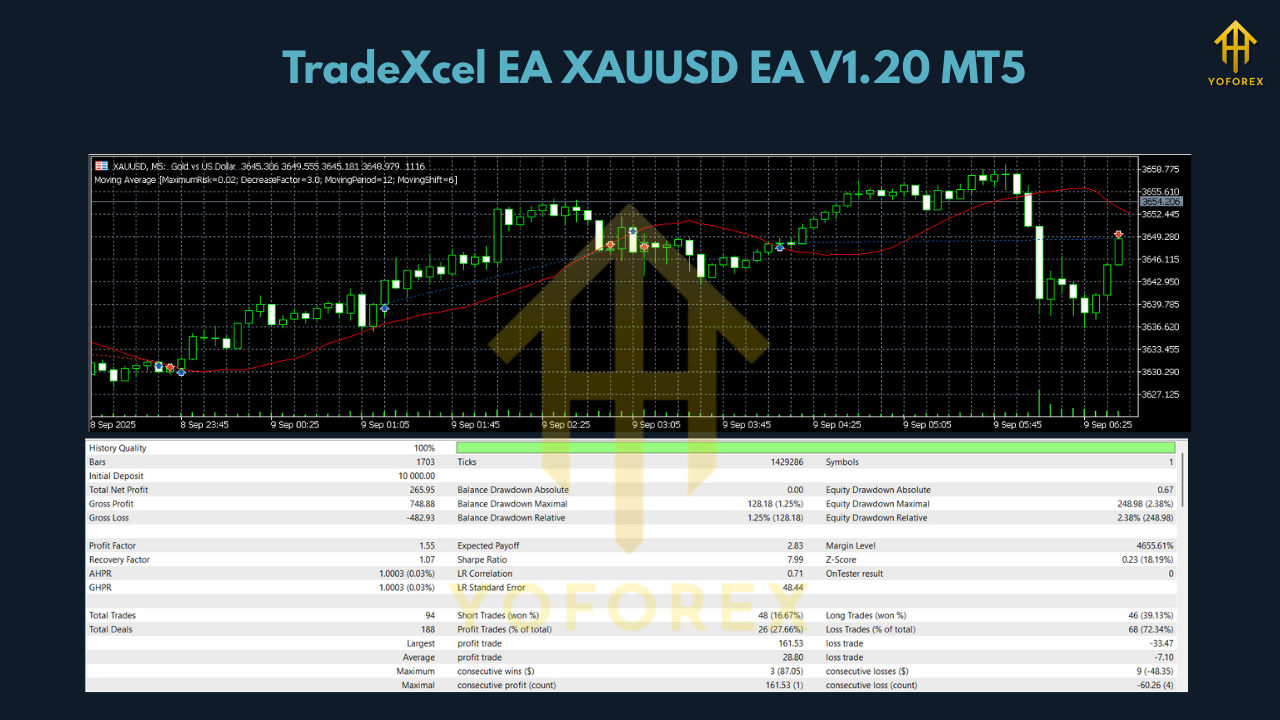
The EA has undergone rigorous backtesting using real tick data and forward testing on live/demo accounts. This ensures realistic performance expectations and reliable operation under changing market conditions.
Benefits of Using TradeXcel EA
- Time Efficiency: Let the EA do the heavy lifting while you focus on strategy and portfolio diversification.
- Emotion-Free Trading: Avoid human error and impulsive decisions that can ruin trading performance.
- 24/5 Operation: The EA runs continuously during trading hours, never missing an opportunity.
- User Friendly: Easy installation and setup with clear instructions for novice and expert users alike.
- Customizable Settings: Fine-tune trading behavior to align with your risk tolerance and trading goals.
How to Install and Use TradeXcel EA V1.20 on MT5
- Purchase and Download the EA file.
- Open your MetaTrader 5 platform.
- Go to File > Open Data Folder > MQL5 > Experts.
- Paste the EA file in the Experts folder.
- Restart MT5 and find TradeXcel EA under the Navigator panel.
- Drag the EA onto your XAUUSD chart and adjust settings as desired.
Make sure to enable auto-trading, and test the EA first on a demo account to ensure settings align with your expectations.
Best Practices for Trading with TradeXcel EA
- Use a VPS for 24/7 uninterrupted performance.
- Start with a demo account to understand the EA’s behavior under different market conditions.
- Set realistic profit goals and stick to a solid risk management plan.
- Avoid running the EA during high-impact news unless specifically configured to handle such scenarios.
Performance Expectations
While TradeXcel EA V1.20 has shown strong performance in historical and real-time testing, it’s essential to understand that no EA guarantees profits. Market conditions can change, and past performance is not always indicative of future results. However, the EA is built to adapt and react to market shifts using dynamic inputs and adaptive filters.
Who Should Use TradeXcel EA?
- Day Traders who want to automate gold scalping or intraday strategies.
- Swing Traders looking for medium-term trades with consistent entry signals.
- Investors seeking diversification through algorithmic trading of gold.
- Beginners who want a plug-and-play solution without deep programming knowledge.
Conclusion
TradeXcel EA XAUUSD EA V1.20 for MT5 is a professional-grade trading robot that brings intelligent automation to the volatile world of gold trading. With smart entry and exit logic, risk controls, and a focus on sustainability over gimmicks like martingale, it is a reliable solution for serious traders.
Whether you're new to automated trading or looking to add a high-performing XAUUSD EA to your toolkit, TradeXcel EA is worth considering for your MetaTrader 5 environment.
Join our Telegram for the latest updates and support






Comments (0)
No comments yet. Be the first to comment!
Leave a Comment