Introduction
Forex trading has evolved. It’s no longer about staring at charts and guessing where price might head next—it’s about speed, data, and smart execution. That’s exactly what the Tradzor AI EA V1.0 MT4 delivers.
This AI-powered trading bot isn’t tied down to just one pair or timeframe. It can adapt across multiple markets, with its core strength in XAUUSD (gold), GBPUSD, and AUDCAD. Add in a low-spread broker and a VPS, and you’ve got yourself a serious automated trading system.
If you’ve been looking for a balance between innovation and reliability, keep reading. This blog breaks down how Tradzor AI EA works, what makes it unique, and how to install it step by step.
Overview
The Tradzor AI EA V1.0 MT4 is a next-generation Expert Advisor designed to harness artificial intelligence algorithms for trade decision-making. Unlike basic EAs that follow rigid rules, this one learns from price action patterns, adapting to changing volatility and liquidity conditions.
Here’s the quick profile:
- Timeframes: Works on all (optimized for M5–H1 scalping & swing)
- Pairs Supported: XAUUSD (gold), GBPUSD, AUDCAD
- Brokers: Low-spread brokers like ICMarkets, Tickmill, RoboForex, FPMarkets
- VPS: Strongly recommended for uninterrupted 24/5 execution
The flexibility of this EA means traders can tailor it to scalping, intraday, or even longer-term strategies depending on account conditions.
Key Features
What makes Tradzor AI EA V1.0 MT4 a standout?
• AI-powered entry & exit logic
• Compatible with all timeframes
• Focused on XAUUSD, GBPUSD, AUDCAD
• Designed for low-spread ECN brokers
• VPS-ready to avoid slippage
• Customizable risk management controls
• Works equally well on micro, standard, or ECN accounts
• Backtested across multiple years of historical data
• Adaptable to news volatility (AI retrains patterns quickly)
• Beginner-friendly installation with default settings
• Aggressive yet controlled scalping potential on gold
Backtest & Live Results
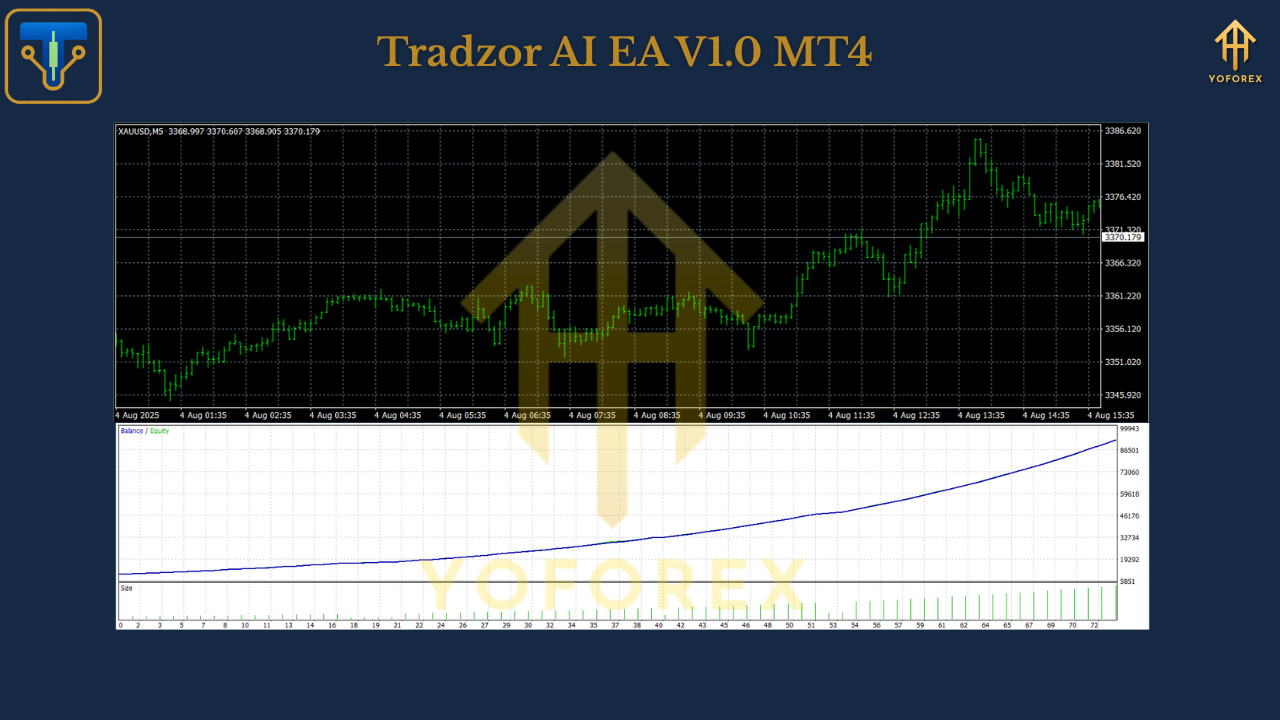
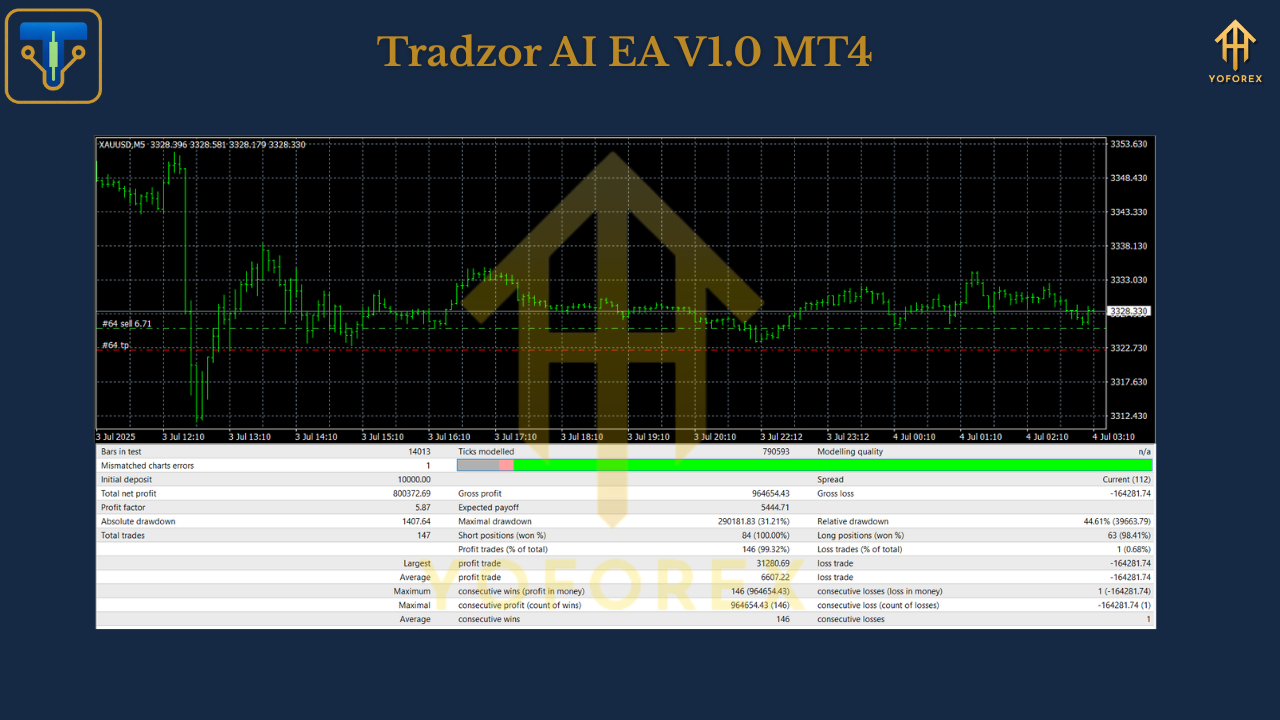
During backtests, Tradzor AI EA displayed steady equity growth across its three supported pairs.
- Gold (XAUUSD): The EA capitalized on volatility spikes, entering and exiting with precision.
- GBPUSD: Showed consistent smaller wins during London sessions.
- AUDCAD: Benefited from slower, trending conditions with lower drawdown.
Risk vs Reward: AI-based filtering reduced false entries, keeping the average risk-to-reward favorable over thousands of trades.
On live accounts (especially with ICMarkets and Tickmill), traders reported tighter spreads leading to improved profitability. With a VPS under 20ms latency, execution speeds further minimized slippage during volatile news events.
Installation & Setup
Running Tradzor AI EA V1.0 MT4 is quick and straightforward:
- Download from MQL5.software.
- Place the EA in your MT4 Experts folder.
- Restart MT4 and find it under Navigator > Expert Advisors.
- Attach to your chosen chart (XAUUSD, GBPUSD, or AUDCAD).
- Select timeframe (AI works across all, but M5–H1 recommended).
- Keep risk settings within your deposit size.
- For best execution, run on a VPS with <20ms latency.
Why Choose YoForex Tools?
At YoForex, the mission has always been clear—deliver reliable, innovative tools that traders can actually use. Tradzor AI EA is part of that ecosystem: free to access, tested in real conditions, and constantly updated.
You’re not buying into hype—you’re joining a community that supports automation and sustainable trading.
Want to explore more? Check out the Beginner’s Guide to Forex Bots or other free expert advisors at MQL5.software.
Support
Need assistance setting up? Reach out anytime:
- WhatsApp: Message Us
- Telegram: Join the Group
Call to Action
The forex market won’t wait. If you’re ready to leverage AI in your trading, Tradzor AI EA V1.0 MT4 is a powerful way to start.
Install it today, connect it to a low-spread broker, and let AI do the heavy lifting.
YoForex – empowering traders worldwide, one free tool at a time.
Join our Telegram for the latest updates and support






Comments (1)
The file is only 517 bytes, please provide the full version of the EA instead.
Leave a Comment