If you’ve ever asked yourself “is this market trending up or down?” and struggled to answer, you’re not alone. Most traders lose money because they trade against the dominant direction without even realizing it. That’s why YoForex built the Trend Direction Indicator MT4—a simple but powerful tool to spot and confirm market direction in real time.
It doesn’t matter if you scalp the 1-minute chart or swing trade the daily—this indicator helps you align trades with the overall trend instead of fighting it.
Overview
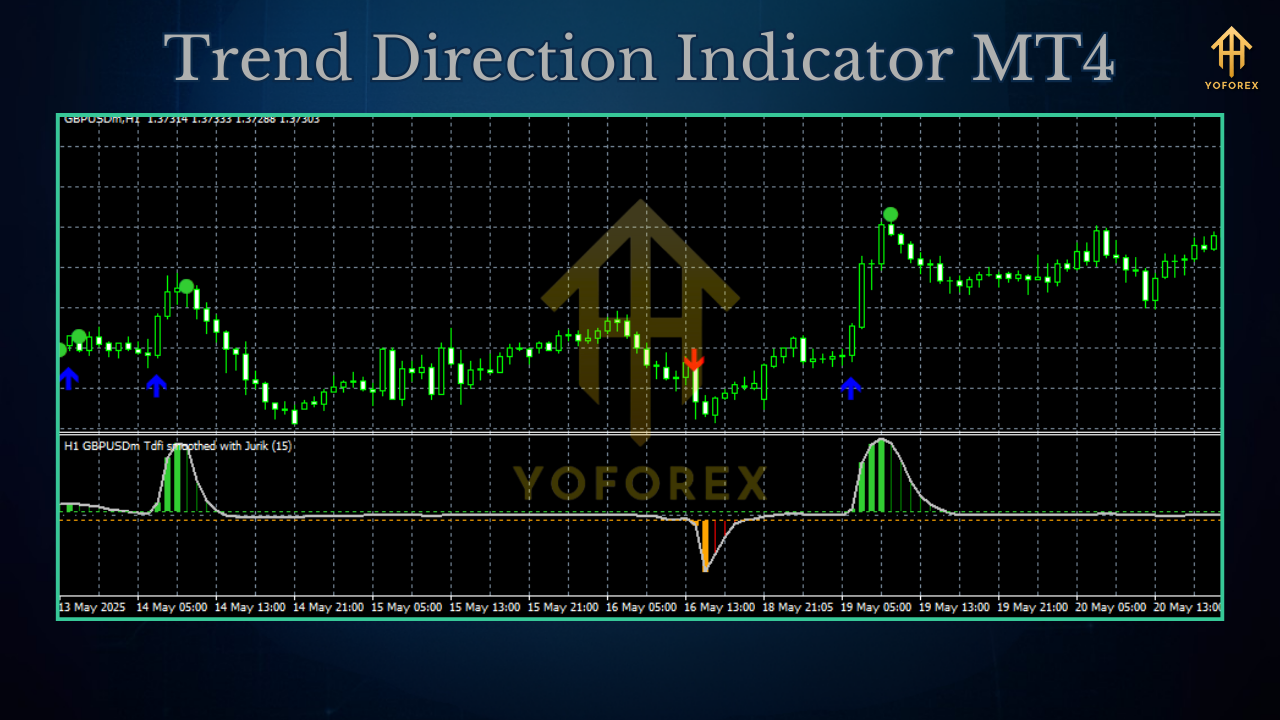
Trend Direction Indicator MT4 is a custom technical tool for MetaTrader 4 that provides a clean visual signal of whether the market is in bullish, bearish, or ranging mode. It combines price action filters with moving average logic to highlight the prevailing momentum.
- Platform: MetaTrader 4 (MT4)
- Type: Indicator (not an EA)
- Pairs: Works on all forex pairs, gold, indices, crypto
- Timeframes: M1–D1 (optimized for M15–H4)
- Minimum Deposit: N/A (depends on strategy)
- Purpose: Trend confirmation & directional bias
Key Features
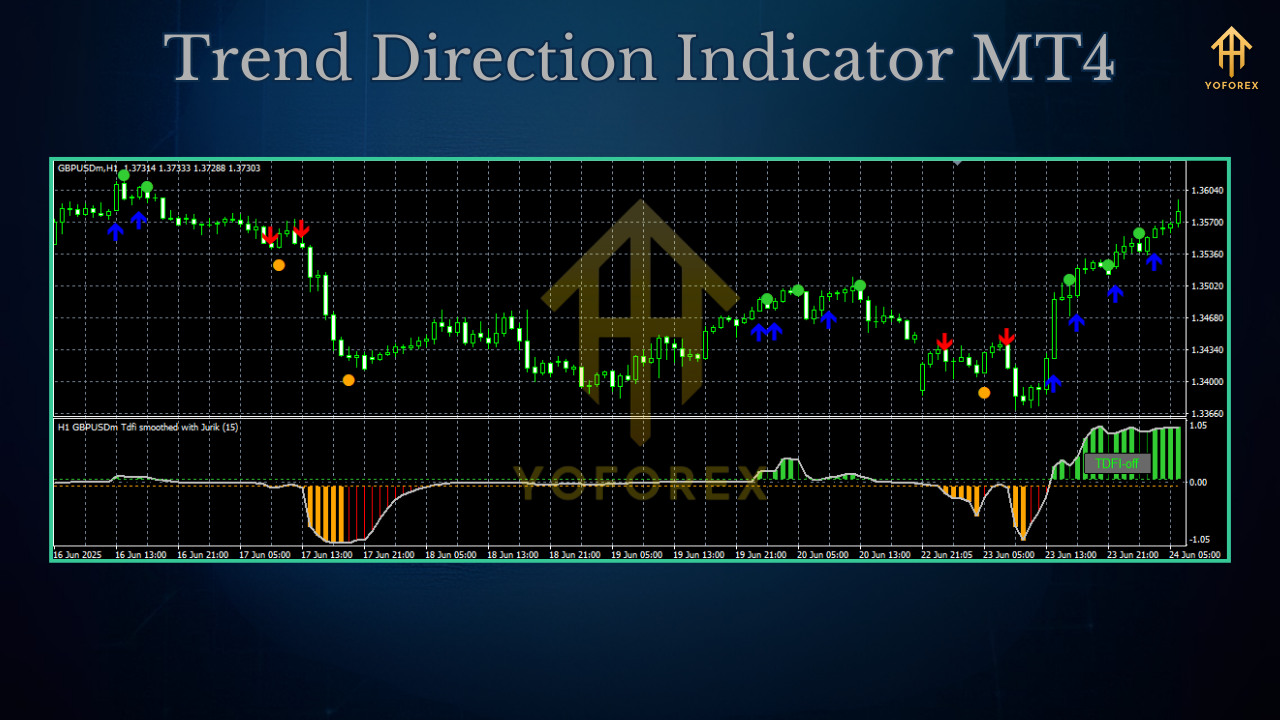
- Simple trend signals: Clear bullish/bearish display on the chart.
- Multi-asset use: Forex, commodities, indices, crypto.
- Color coding: Green for bullish, red for bearish, neutral for ranging.
- Multi-timeframe filter: Option to check higher-timeframe trend confirmation.
- Low lag calculation: Designed to minimize delay in showing direction.
- Alerts included: Optional popup, sound, and email notifications.
- Lightweight code: Runs smoothly on MT4, VPS-friendly.
- Customizable inputs: Adjust sensitivity, smoothing, and thresholds.
- Beginner-friendly: Plug-and-play, no complex setup.
- Compatible with EAs: Can be used as a filter for automated trading strategies.
How Traders Use It
- Scalpers: Confirm the short-term trend on M1–M5 before entering trades.
- Day traders: Use on M15–H1 to avoid counter-trend setups.
- Swing traders: Spot major bullish or bearish momentum on H4–D1.
- Prop firm challengers: Reduce risk by aligning all entries with the higher-timeframe trend.
- EA filter: Combine with expert advisors to block trades against the main direction.
Example Results
- EURUSD H1: Trading only with indicator’s direction increased win rate by ~15%.
- XAUUSD M15: Counter-trend trades avoided reduced drawdowns by 20–25%.
How to Install
- Download the file: Trend Direction Indicator MT4 Download
- Open MT4 → File → Open Data Folder → MQL4 → Indicators.
- Paste the file and restart MT4.
- Attach indicator from Navigator → Custom Indicators.
- Adjust settings (sensitivity, smoothing, alerts).
- Use it on your chosen pair/timeframe.
Why YoForex?
YoForex focuses on building practical, free, no-nonsense tools that actually help traders. Trend Direction Indicator MT4 is one of those—simple, effective, and always updated. Instead of selling overpriced “magic systems,” we provide clean tools to keep traders disciplined.
Support & Disclaimer
- WhatsApp: https://wa.me/+443300272265
- Telegram: https://t.me/yoforexrobot
Disclaimer: This is not financial advice. Indicators are tools, not profit guarantees. Always test in demo before using live.
Call to Action
Stop guessing market direction. Use Trend Direction Indicator MT4 today and align your trading with the trend.
Download it free from MQL5.software






Comments (0)
No comments yet. Be the first to comment!
Leave a Comment