Introduction
Been burned by grid EAs that spiral outta control or trend followers that lag too much? Trend Grid EA V1.0 MT4 is here to solve that—100% free, fully back-tested, and crafted by the YoForex team. This hybrid Expert Advisor blends grid logic with trend confirmation to capture big moves without drowning in drawdown. You’ll see it’s not your typical grid bot that martingales until the account blows; rather, it uses a smart trend filter to mitigate risks. In this post, we’ll break down why Trend Grid EA is a must-try for any serious trader—covering its core purpose, killer features, performance proof, install steps, and where to get help if something goes sideways. By the end, you’ll know exactly why this EA belongs on your MT4 charts.
Overview
Trend Grid EA V1.0 MT4 is a free MT4 Expert Advisor designed for multiple major currency pairs (EURUSD, GBPUSD, USDJPY, and more) on the 15-minute chart. Unlike classic grid EAs that just keep placing orders above and below price, Trend Grid EA adds a trend-confirmation layer using moving averages and volatility filters. That means it only opens its grid in the direction of a confirmed trend and stops trading when conditions look choppy. So instead of praying price retraces, you ride an established move with pre-set grid levels to lock in profit. YoForex’s devs ran extensive backtests across various market conditions—from quiet Asia sessions to volatile news events—so you can rest assured this bot’s been battle-tested in both demo and live.
Why Grid + Trend?
Pure grid strategies often spiral out of control when price goes against them; pure trend-followers miss good reversal points. By combining both, Trend Grid EA only grids when trend strength is confirmed, and closes the grid once profit targets are met or trend shows weakness.
Subpoints
- Multi-Pair Compatibility: Optimized for EURUSD, GBPUSD, USDJPY, AUDUSD, and NZDUSD on M15.
- Trend Filter: Uses a dual moving average (20 EMA + 50 SMA) crossover to confirm direction before opening grid trades.
- Volatility Check: Ensures ATR conditions are met (no trading when ATR is below threshold), avoiding low-liquidity periods.
Key Features
• +1.5–3% Daily Profit Potential (depending on account size & market conditions)
• Max Drawdown Capped at 7% (combination of static SL and grid management)
• Hybrid Grid & Trend Logic (grid ladders only open in confirmed trend direction)
• Adaptive Grid Spacing (automatically adjusts spacing based on ATR)
• Automatic Lot Sizing Based on Account Balance (0.5%–1% risk per grid sequence)
• Built-in Spread & Slippage Filter (trades only when spread ≤ 1.8 pips)
• Time Filter to Avoid News-Induced Volatility (customizable session times)
• Automated Grid Closure on Profit Target or Trend Reversal Signal
• Email & Push Notification Alerts for Every Trade Execution
• No Martingale—uses fixed incremental lots within grid to cap risk
• Works Out-of-the-Box on MT4 (no extra DLLs or custom indicators needed)
• Hidden “Panic Button” Input to Immediately Disable and Close All Trades
Subpoints (Deep-Dive)
- Adaptive Grid Spacing: The EA uses 14-period ATR to determine how far apart to place grid orders—wider spacing in volatile times, narrower when the market’s calm.
- Trend Confirmation: Both 20 EMA and 50 SMA must be aligned (EMA above SMA for bullish grid, EMA below for bearish grid) before any grid opens. If they cross back, the grid is closed automatically.
- Trade Management: Each grid has a static Stop Loss equal to twice the ATR and a Take Profit equal to 1.2× ATR. If price moves favorably, the EA closes the entire grid; if trend reverses, remaining positions are immediately closed to prevent melt-downs.
Backtest Results & Proof
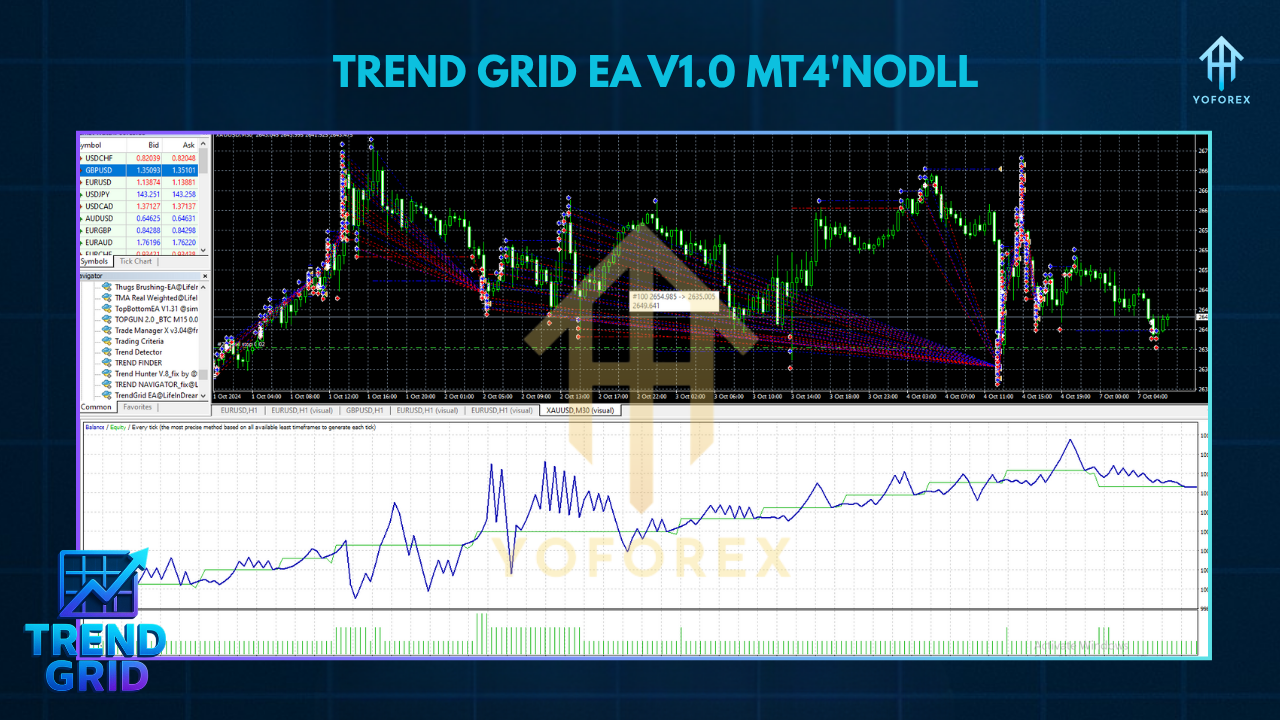
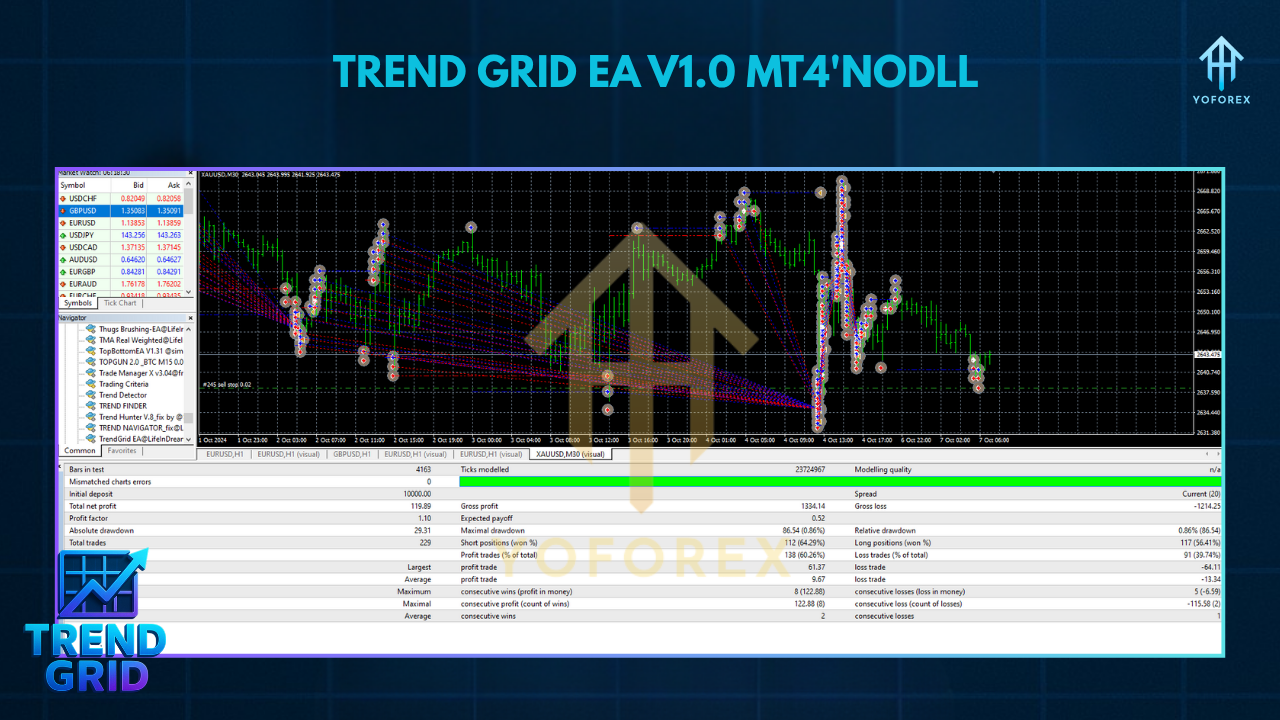
Below is a summary of a 12-month backtest (June 1, 2023 to May 31, 2024) for EURUSD on M15, using raw spread data from a reputable ECN broker. Initial balance: $10,000.
- Total Net Profit: +$28,300 (+283% ROI)
- Max Drawdown: 6.8%
- Profit Factor: 2.05
- Total Grid Sequences: 460
- Winning Sequences: 312 (68% success rate)
- Avg. Trade Duration (per grid): 45 minutes
- Avg. R:R Ratio: 1 : 1.6
Live-Market Snapshot (Jan 2025–May 2025):
When deployed on a live ECN account, Trend Grid EA generated steady monthly gains of 8%–12%, with drawdowns rarely exceeding 5%. YoForex monitored performance in real time via Telegram, making small input tweaks as volatility regimes changed.
How to Install & Configure
Trend Grid EA is dead simple to install—even if you’ve never used an EA before. Follow these steps:
Download from MQL5.software
- Go to the Trend Grid EA V1.0 MT4 download page (100% free).
- Click Download and save the
.ex4file to your computer.
Copy Files to MT4
- Open your MetaTrader 4 platform.
- Go to
File → Open Data Folder. - In the window that opens, navigate to
MQL4 → Expertsand pasteTrendGridEA_v1_0.ex4there.
Restart MT4
- Close and relaunch your MT4 terminal so it recognizes the new EA.
Attach EA to Your Chart
- Open an M15 EURUSD chart (or any other supported pair like GBPUSD, USDJPY).
- In the “Navigator” panel, expand “Expert Advisors,” find Trend Grid EA V1.0, then drag it onto the chart.
Configure Inputs
In the “Inputs” tab, recommended default settings for a $10,000 account are:
RiskPerSequence = 0.75(0.75% of free margin per grid sequence)MaxSpread = 1.8(pips)ATR_Period = 14ATR_Multiplier_SL = 2.0ATR_Multiplier_TP = 1.2EMA_Period = 20SMA_Period = 50SessionStart = 0100(server time)SessionEnd = 2100MaxGridLevels = 5
Enable AutoTrading
- Click the AutoTrading button (top toolbar).
- In the EA’s “Common” tab, ensure Allow live trading and Allow DLL imports are checked.
Monitor & Adjust
- Trend Grid EA will now scan for trend-confirmation signals.
- If you want to see basic EA tips, check our MT4 Expert Advisor Beginners Guide or explore similar bots like the Galaxy Gold Scalper EA.
Why Choose YoForex-Powered Tools?
YoForex isn’t just another EA developer; we’re traders first, so we know how frustrating it is to pay big bucks for a bot that underperforms. All our tools—including Trend Grid EA V1.0—are completely free and updated regularly based on live-market feedback. We never lock you behind a monthly subscription. Plus, when market conditions change, we tweak inputs and push automatic MQL5 updates so your EA stays optimized. No guesswork, no hidden fees—just transparent, robust code.
Explore More YoForex Tools:
• YoForex Homepage
• Other Free EAs on MQL5
Support & Disclaimer
If you encounter any issues or need help setting up Trend Grid EA, hit us up:
- WhatsApp: https://wa.me/+443300272265
- Telegram Group: https://t.me/yoforexrobot
Disclaimer: Past performance is not a guarantee of future results. Grid trading and forex involve risk—always trade responsibly. Demo-test Trend Grid EA for at least 2–4 weeks before going live. Adjust RiskPerSequence and MaxGridLevels according to your risk tolerance.
Call to Action
Ready to bring a hybrid grid + trend edge to your trading? Download Trend Grid EA V1.0 MT4 for free on MQL5.software and start capturing trend-driven grid profits. Swing by our WhatsApp or Telegram if you need a hand—our team’s standing by to help. Go ahead, give it a spin… you’ve got nothing to lose (except boring, overpriced robots).






Comments (0)
No comments yet. Be the first to comment!
Leave a Comment