Trend Martingle EA V1.0 MT4 Review: A Comprehensive Guide to Automated Forex Trading
In the fast-paced world of forex trading, automation has become a game-changer. For traders seeking efficiency and consistency, expert advisors (EAs) like the Trend Martingle EA V1.0 MT4 offer a solution. This review delves into every aspect of this tool—from its core functionality to real-world performance—helping you decide if it aligns with your trading strategy.
What Is Trend Martingle EA V1.0 MT4?
The Trend Martingle EA is an automated trading robot designed for MetaTrader 4 (MT4), one of the most popular forex platforms globally. Built on the Martingale strategy—a risk management approach where positions are doubled after losses—it aims to capitalize on market trends while mitigating risks through intelligent stop-loss and take-profit mechanisms. Unlike manual trading, this EA executes trades 24/7 based on predefined algorithms, eliminating emotional biases.
Key Features & Benefits
- Automated Execution: Trades are placed without human intervention, ideal for busy traders.
- Martingale Logic: Recovers losses by increasing position sizes during drawdowns (with customizable risk limits).
- Trend Detection: Uses advanced indicators to identify high-probability trends, reducing false signals.
- Risk Management Tools: Adjustable stop-loss, take-profit, and lot size parameters to control exposure.
- User-Friendly Interface: Simple setup via MT4’s Expert Advisor panel; no coding knowledge required.
How Does It Work?
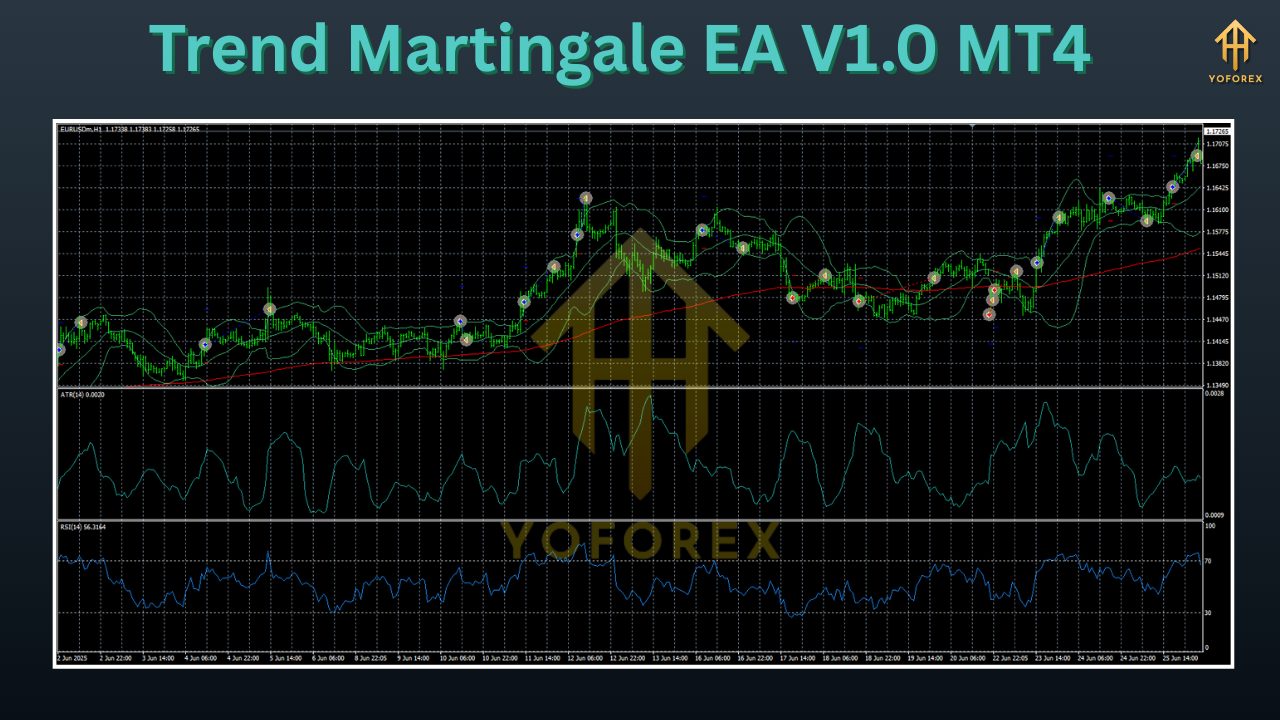
The EA analyzes price action using technical indicators (e.g., moving averages, RSI) to detect trends. When a trend is confirmed, it opens a trade. If the trade moves against expectations, the Martingale system activates, adding positions at pre-set intervals until the market reverses. Crucially, traders can cap the number of consecutive trades to prevent excessive risk.
Installation & Setup Guide
- Download: Obtain the EA file from a trusted vendor.
- Install: Copy the file to your MT4’s Experts folder (typically
C:\Program Files\MetaTrader 4\experts). - Activate: Restart MT4, drag the EA onto your chart, and enable “Allow Automated Trading” in Settings > Expert Advisors.
- Configure Parameters:
Lot Size: Initial trade volume (e.g., 0.01 lots).Max Spread: Maximum allowable spread (prevents slippage).Stop Loss/Take Profit: Define risk-reward ratios.Martingale Multiplier: Sets position size increments (e.g., 2x for doubling).
Performance Analysis
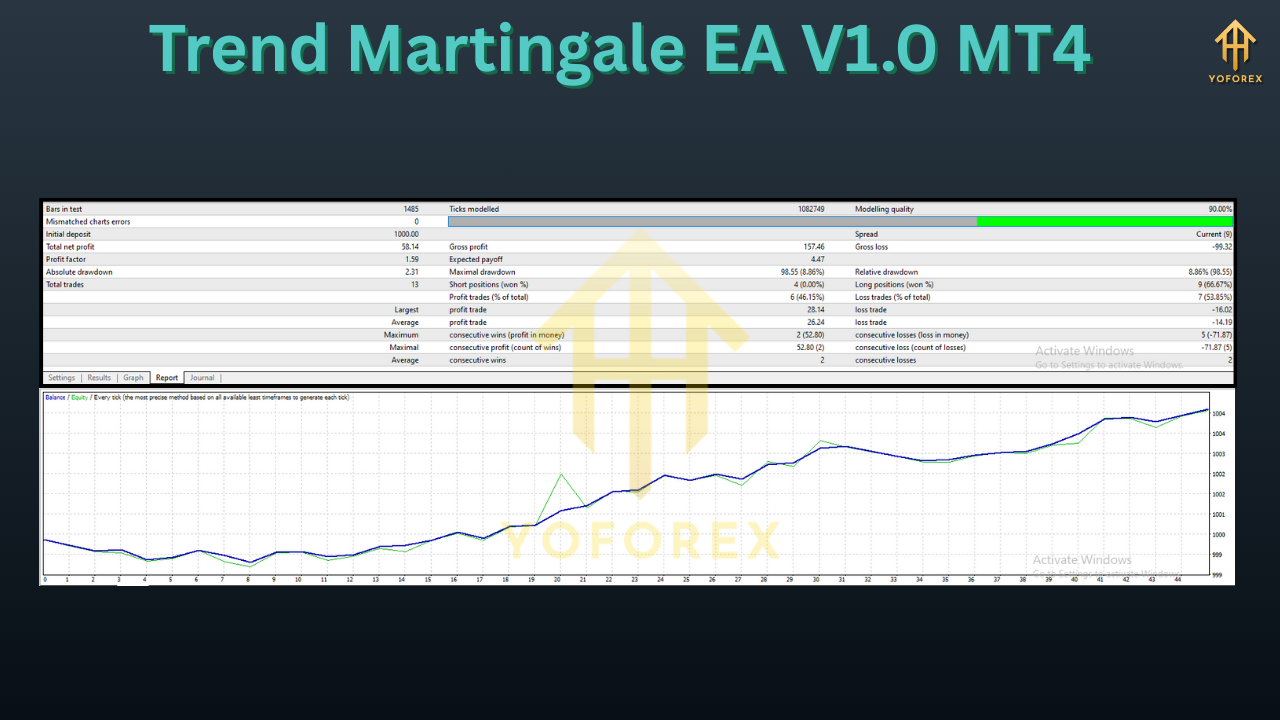
Backtesting and live results vary, but the EA excels in trending markets. Historical data shows consistent gains when volatility is moderate. However, extreme market conditions (e.g., news events) may trigger higher drawdowns due to the Martingale mechanism. Traders report average monthly returns of 5–15%, but past performance isn’t indicative of future results.
User Testimonials
- “I’ve used Trend Martingle EA for 6 months. It handles my EUR/USD trades flawlessly, freeing me to focus on analysis.” – Alex T., Swing Trader.
- “The risk controls saved me during a volatile week. Drawdowns were minimal compared to manual trading.” – Priya S., Day Trader.
Pros and Cons
Pros
- Fully automated
- Customizable risk settings
- Proven trend-following logic
Cons
- Requires stable internet/connection
- Not suitable for low-volatility markets
- May incur higher spreads during news
Frequently Asked Questions (FAQs)
- Is it beginner-friendly? Yes—minimal setup and default parameters work for novices.
- What pairs does it support? Optimized for major pairs (EUR/USD, GBP/USD); test on others first.
- Does it work on all brokers? Compatible with ECN/NDD brokers offering low latency.
- Can I adjust the Martingale level? Absolutely—modify the multiplier in settings to balance aggression.
Conclusion
The Trend Martingle EA V1.0 MT4 offers a robust solution for traders leveraging trend momentum. While not immune to market risks, its automation and risk controls make it a valuable addition to a diversified strategy. Always demo-test before going live, and remember: no EA guarantees profits—prudent risk management remains key.
Support & Disclaimer
Got questions or need help? Reach out anytime:
- WhatsApp: https://wa.me/+443300272265
- Telegram: https://t.me/yoforexrobot
Disclaimer: Past performance is no guarantee of future results. All trading carries risk. Always demo-test the Trend Martingle EA V1.0 MT4 in a risk-free environment before deploying on a live account.






Comments (0)
No comments yet. Be the first to comment!
Leave a Comment