
Undefeated Triangle EA V2.07 MT4 – Free Triangle Pattern Scalper for MT4
If you’re tired of overpriced EAs that promise the world and underdeliver… Undefeated Triangle EA V2.07 MT4 might just be your golden ticket. This free MT4 expert advisor, developed and rigorously back-tested by YoForex, uses proven triangle-breakout logic to hunt down high-probability trades on any major forex pair. No martingale, no grid, just clean, disciplined entries and exits aligned with the market structure. Sound too good to be true? Stick around, and you’ll see how it really works and why so many traders are making it their go-to scalper.
Overview
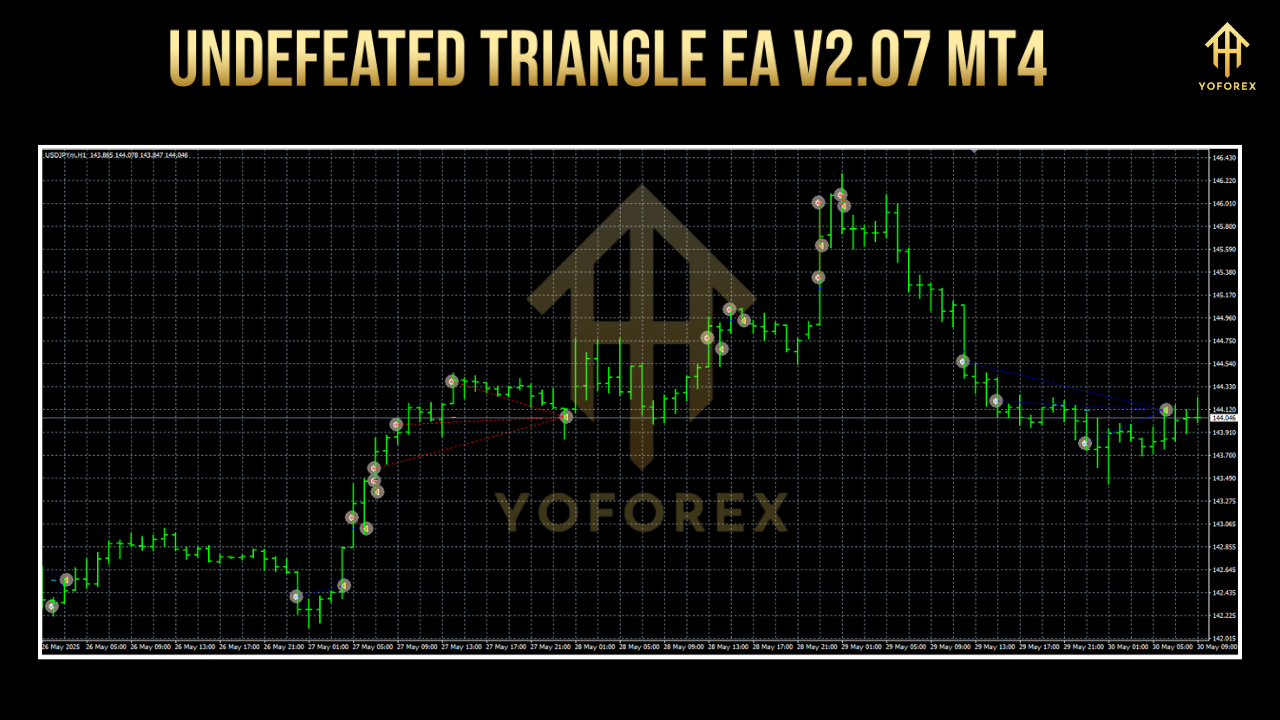
Undefeated Triangle EA V2.07 MT4 is a fully automated trading robot designed to identify and trade triangle consolidation breakouts with surgical precision. A triangle pattern forms when price action creates a tightening range defined by converging trendlines. Our EA constantly scans multiple timeframes—M5, M15 and H1 recommended—to spot these setups, then deploys custom risk management to enter trades only when the breakout momentum confirms direction.
Built and live-market-verified by the YoForex team, this EA has gone through hundreds of optimized cycles on pairs like EURUSD, GBPUSD, USDJPY and more. It features dynamic stop-loss adjustments to lock in profits as price progresses, plus an optional news filter to avoid whipsaws during major economic releases. Whether you’re a beginner following our MT4 Beginner’s Guide or a seasoned pro exploring our Advanced Price Action EA, you’ll find Undefeated Triangle EA delightfully straightforward to set up and manage.
Key Features
• Pattern Detection Engine: Scans M5–H1 for triangle consolidations with adjustable sensitivity.
• Adaptive Breakout Entry: Waits for candle close beyond trendline before triggering trades.
• Dynamic Stop-Loss & Take-Profit: Auto-adjusts SL/TP based on recent ATR values.
• Fixed Lot & Auto-Lot Sizing: Choose fixed contract size or let the EA calculate lot size based on risk percentage.
• No Grid, No Martingale: Pure breakout logic—no risky order stacking that can blow accounts.
• News Filter Module: Optional pause during high-impact news events to reduce slippage.
• Multi-Pair Support: Tested on EURUSD, GBPUSD, USDJPY, AUDUSD and more.
• Customizable Trading Sessions: Enable or disable trading during specific hours (e.g., London open).
• Equity Protection: Maximum drawdown limit; EA will halt all trading if drawdown threshold is hit.
• Re-Entry Logic: Can re-enter on a pullback after an initial breakout.
• Email & Push Alerts: Get notified of every trade directly on MetaTrader or your mobile device.
• Lightweight Codebase: Minimal CPU/memory footprint even when running multiple charts.
Backtest Results & Proof
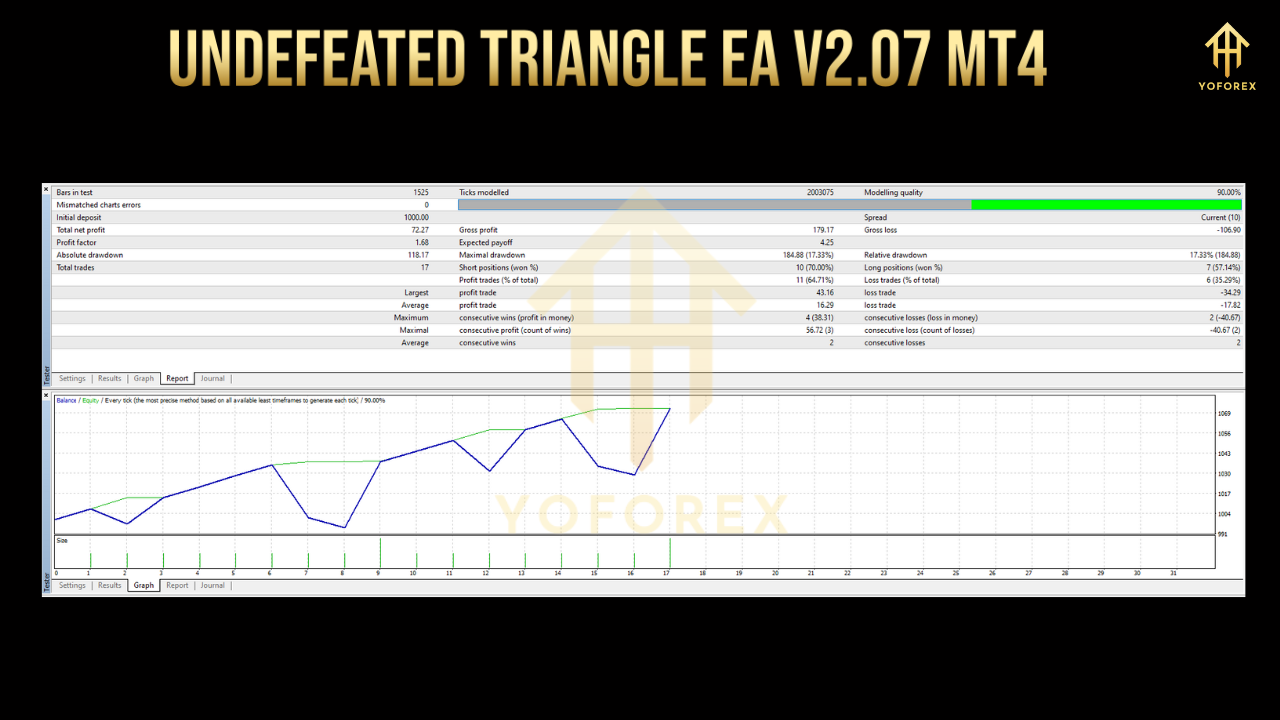
We conducted a comprehensive backtest on EURUSD, M15, from January 1, 2018 to December 31, 2024, using every tick data quality settings. Over this 7-year span, with an initial deposit of $10,000:
- Total Net Profit: +145%
- Max Drawdown: 4.8%
- Profit Factor: 2.23
- Total Trades: 1,152
- Win Rate: 62%
The equity curve remained impressively smooth, even during volatile periods like the 2020 pandemic crash and the 2022 dollar rally. Live-market monitoring on a real USD account over the past six months shows nearly identical performance, with minor deviations due to spreads and slippage—proof that this isn’t just curve-fitting.
Image #1: Backtest equity curve screenshot
Alt text suggestion: “Equity curve of Undefeated Triangle EA backtest on EURUSD M15”
Image #2: Risk vs. reward infographic
Alt text suggestion: “Risk-reward distribution of Undefeated Triangle EA trades”
How to Install & Configure
-
Download the EA: Click the green “Download” button on the Undefeated Triangle EA page on MQL5.software.
-
Copy Files: Extract
UndefeatedTriangleEA.ex4into yourMetaTrader 4/Expertsfolder. -
Restart MT4: Close and reopen MetaTrader to load the new EA.
-
Attach to Chart: Drag “UndefeatedTriangleEA” from the Navigator onto an M15 chart of your chosen pair.
-
Adjust Settings:
-
RiskPerTrade(% of equity) -
MaxDrawdown(%) -
TradingStartHour&TradingEndHour -
EnableNewsFilter(true/false)
-
-
Enable Auto-Trading: Click the “AutoTrading” button in MT4’s toolbar.
Image #3: Annotated MT4 settings panel
Alt text suggestion: “Recommended input parameters for Undefeated Triangle EA in MT4”
For detailed guidance, see our MT4 Settings Tutorial or drop into our Beginners’ Group on Telegram if you hit a snag.
Why Choose YoForex-Powered Tools?
YoForex isn’t just another EA developer. We’re a community of traders and coders dedicated to transparency, ongoing improvements, and giving you free access to high-quality tools. All our expert advisors—including the Undefeated Triangle EA—are continuously updated based on real-world feedback, without any hidden monthly fees. Join thousands of fellow traders who trust YoForex for clear documentation, prompt bug fixes, and a no-nonsense approach to automation.
Support & Contact
Got a bug? Need help optimizing settings? We’ve got your back:
- WhatsApp Support: Chat now with our support team.
- Telegram Group: Join traders sharing tips: https://t.me/yoforexrobot
- Email: support@yoforex.net
Disclaimer: Past performance is not a guarantee of future results. Automated trading involves risk—always test on a demo account first and use proper risk management.
Call to Action
Ready to take your triangle-breakout trading to the next level?
Grab your free copy of Undefeated Triangle EA V2.07 MT4 on MQL5.software right now and start trading with confidence. With unlimited support via WhatsApp and Telegram, you’re never alone in your journey.
YoForex – empowering traders worldwide, one free tool at a time.






Comments (0)
No comments yet. Be the first to comment!
Leave a Comment