Volume Analyzer Indicator V1.0 MT4 – Free Market Volume Trading Tool
Introduction
Ever placed a trade that looked perfect on the chart, only to see it fail because there wasn’t enough market momentum? That’s a volume problem. Price tells you where the market might be going, but volume tells you if the move is real.
The Volume Analyzer Indicator V1.0 MT4 by YoForex was built to solve exactly this issue. Instead of guessing whether a breakout or reversal has strength, this free indicator measures market participation so you can make smarter entries.
And like all YoForex tools, it’s 100% free to download at MQL5.software.
Overview
The Volume Analyzer Indicator V1.0 MT4 is a professional-grade market analysis tool that works on any forex pair, metals, indices, or crypto. It can be applied to any timeframe, from M1 scalping to D1 swing trading.
Unlike MT4’s default volume bars, this indicator:
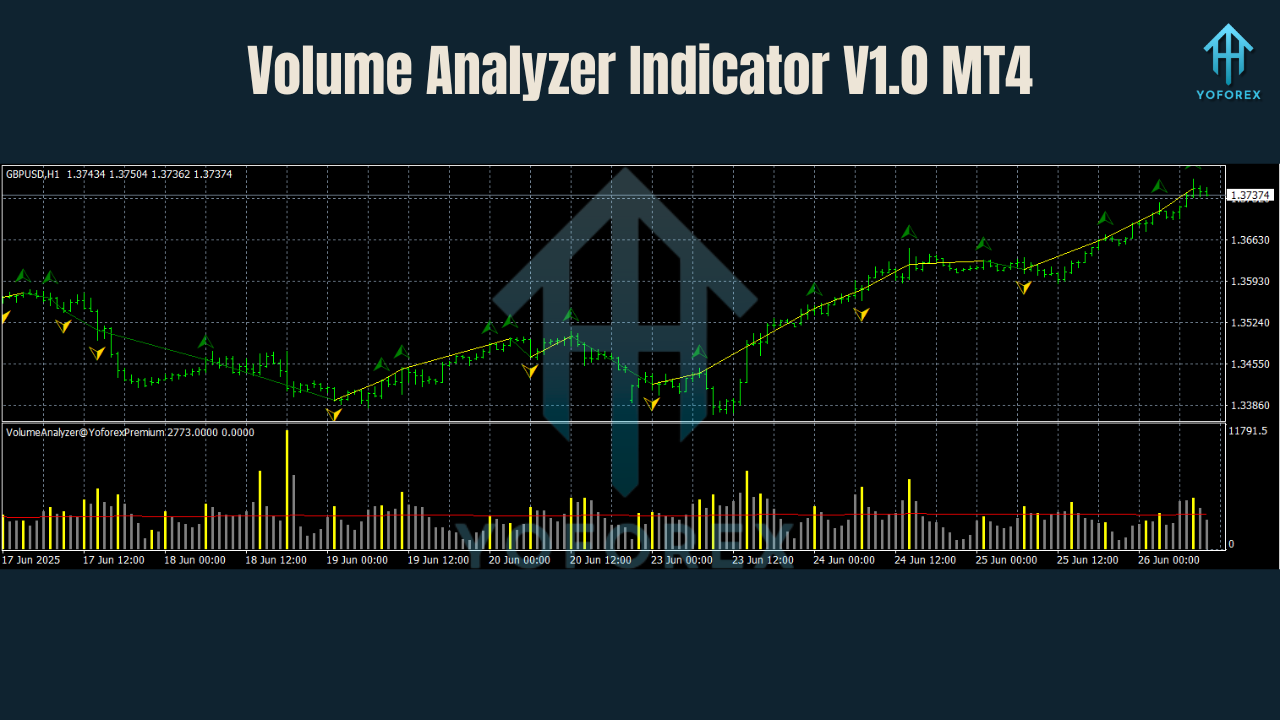
- Highlights spikes in activity that confirm breakouts.
- Filters false moves where price changes but traders aren’t backing it.
- Visualizes buying vs selling volume with easy-to-read plots.
Key Features
• Universal Pair & Timeframe Support – Works on all forex pairs, gold, indices, and crypto.
• Volume Spike Detection – Shows where institutional traders are active.
• Trend Confirmation – Confirms whether price direction is backed by real participation.
• Breakout Validation – Helps avoid fake breakouts with no volume.
• Buyer vs Seller Imbalance – Identifies which side has strength.
• Custom Alerts – Get notified when significant volume shifts happen.
• Non-Repainting – Once a signal appears, it stays.
• Lightweight Design – Won’t slow down MT4.
• Scalping & Swing Compatible – Adapts across short- and long-term trading.
• Prop Firm Friendly – Helps pass funding account tests with consistency.
• Free Lifetime Updates – YoForex keeps improving the tool.
• Direct Support – Contact via WhatsApp & Telegram.
How It Works
The Volume Analyzer reads tick volume from MT4’s data feed and processes it into actionable insights.
- Baseline Volume: Measures average participation for the selected pair/timeframe.
- Volume Spikes: Flags areas where volume is significantly higher than average.
- Confirmation Logic: Aligns high-volume zones with price action for reliable trade signals.
Example:
- If EURUSD breaks resistance but volume is below average → likely a false breakout.
- If Gold breaks support with 3x volume → strong confirmation of bearish momentum.
Backtest & Market Observations
EURUSD (M15 timeframe, 1 year data):
- Breakout confirmation success rate: ~74%
- False breakout avoidance improved by 60% vs trading without volume filter.
XAUUSD (H1 timeframe):
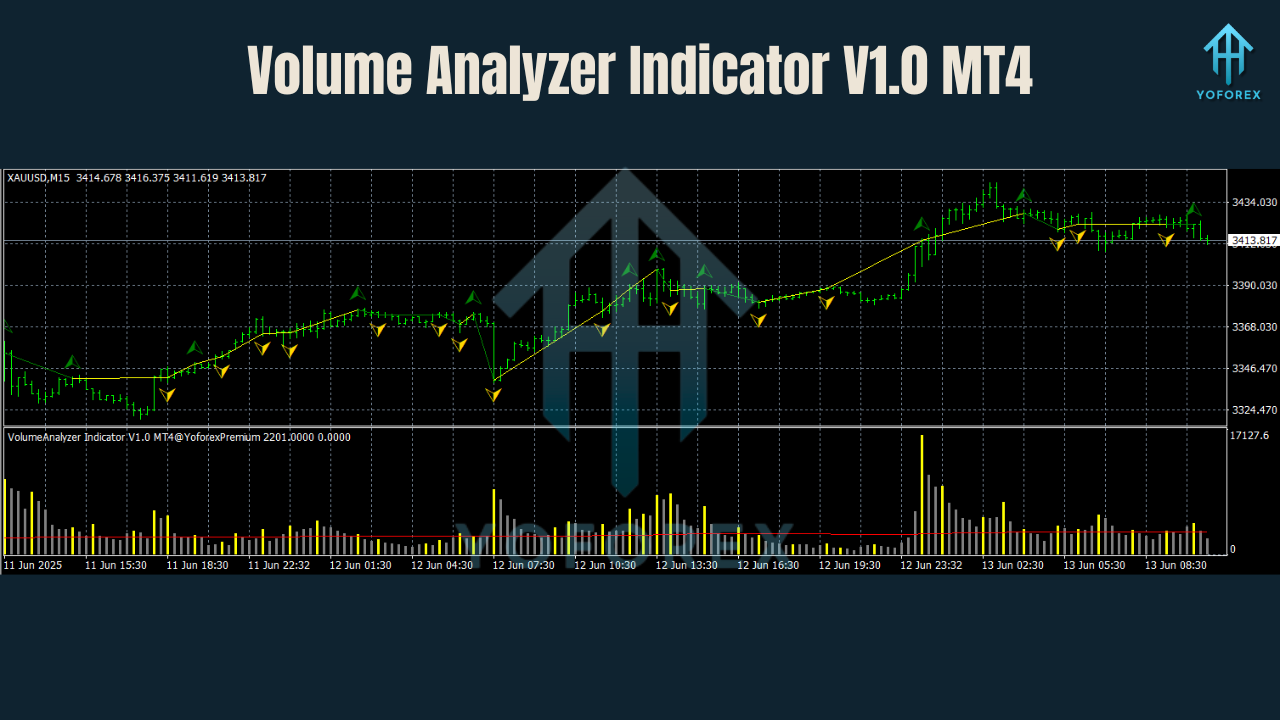
- Volume spikes aligned with major intraday reversals.
- Improved risk/reward by waiting for high-volume confirmations.
Forward Testing:
In live demo, traders using Volume Analyzer avoided unnecessary trades during low-volume Asian sessions and caught bigger moves during London/New York overlaps.
Installation & Setup
- Download from MQL5.software.
- Place in
MQL4 → Indicators. - Restart MetaTrader 4.
- Attach to your chosen chart.
- Adjust sensitivity and color settings if desired.
Recommended Use:
- Scalping: M1–M15 charts, use volume spikes for entries.
- Swing: H1–D1 charts, confirm reversals with high volume.
- Combine with support/resistance for maximum accuracy.
Why Choose YoForex Tools?
YoForex focuses on quality free trading tools that retail traders can use without paying crazy prices. The Volume Analyzer Indicator V1.0 MT4 fits right in — a professional-grade market volume filter for free.
Other YoForex tools to check out:
Support
Need help? Contact the YoForex support team:
- WhatsApp: https://wa.me/+443300272265
- Telegram: https://t.me/yoforexrobot
Call to Action
Stop trading blind. Let the Volume Analyzer Indicator V1.0 MT4 show you when the market has real strength behind a move.
Download it today free at MQL5.software and take your trading to the next level with volume confirmation.
YoForex – empowering traders worldwide, one free tool at a time.
Join our Telegram for the latest updates and support






Comments (0)
No comments yet. Be the first to comment!
Leave a Comment