Automated trading has revolutionized the way retail traders approach the markets, and gold (XAU/USD) remains one of the most sought-after instruments for both trend followers and range traders. XAUminer EA V3.91 MT4 combines grid and martingale techniques with built-in filters to navigate volatility spikes and capture profits on both trending and choppy gold moves. In this guide, you’ll discover how to install the EA on MetaTrader 4, choose the right settings for your account size and risk profile, and monitor performance to build confidence in live trading. By the end, you’ll be ready to harness XAUminer’s full potential and integrate it into your EA portfolio.
Why XAUminer EA V3.91 MT4?
XAUminer EA V3.91 stands out thanks to:
- Adaptive grid spacing: Automatically adjusts distance between orders based on recent ATR readings.
- Smart entry filters: Uses trend-direction confirmation and breakout thresholds to limit premature grid stacking.
- Equity protection: Configurable stop-out levels and equity-based lot multipliers to preserve capital.
- News filter: Halts new trades during high-impact economic events to reduce slippage risk.
- Preset risk modes: Low, medium, high presets allow one-click deployment for different strategies or account sizes.
These features make XAUminer suitable for traders who want a semi-automated approach: hands-off execution with built-in risk controls tailored for gold’s unique behavior.
Installation & Setup
-
Copy EA files
-
Download
XAUminer_EA_V3.91.ex4and its.dlldependencies. -
Place them in
MetaTrader 4 → MQL4 → ExpertsandLibrariesfolders respectively.
-
-
Restart MT4
-
Close and reopen your terminal to recognize new files.
-
-
Attach EA to Chart
-
Open an XAUUSD chart on H1 (recommended) or M30.
-
Drag “XAUminer EA V3.91” from the Navigator panel onto the chart.
-
-
Enable AutoTrading
-
Click the “AutoTrading” button on the toolbar.
-
Confirm that the smiley face icon appears in the chart’s top right.
-
-
Load Preset
-
Click the EA’s settings icon, navigate to the “Inputs” tab, and load
XAUminer_LowRisk.set(or Medium/High). -
Adjust common parameters such as
MaxSpread,LotSize, andEquityStopif needed.
-
With these steps complete, the EA will begin scanning for signals immediately.
Recommended Settings for Beginners
To get started on a $2,000 live account or similar demo:
- Timeframe: H1 (stable trend capture)
- Initial Lot Size: 0.01 (for each $1,000 equity)
- Grid Step: 75 points (roughly 0.75 pips on MT4)
- Max Spread: 20 points (rejects execution when spreads widen)
- Equity Stop: 25% (EA will halt trading if drawdown exceeds this)
- Max Orders: 8 (limits grid depth)
- Martingale Multiplier: 1.5 (controls lot growth on losses)
- News Filter: Enabled (blocks signals 5 minutes before and after major releases)
These conservative settings aim to balance growth with capital preservation.
Understanding XAUminer’s Core Logic
XAUminer’s engine can be summarized in three phases:
-
Signal Detection
-
The EA waits for price to move beyond a defined breakout threshold, confirmed by ATR-based volatility.
-
-
Initial Entry & Grid Activation
-
A single position opens in the detected direction. If price retraces, the grid spacing parameter determines the next entry level.
-
-
Position Management & Martingale
-
Loss-offset orders use a controlled martingale multiplier to reduce average entry price. Once the basket’s profit target or breakeven threshold is reached, all positions close.
-
By blending volatility filters with grid averaging, XAUminer seeks to capture the core of gold’s swings while avoiding blind martingale explosions.
Performance & Backtesting Insights
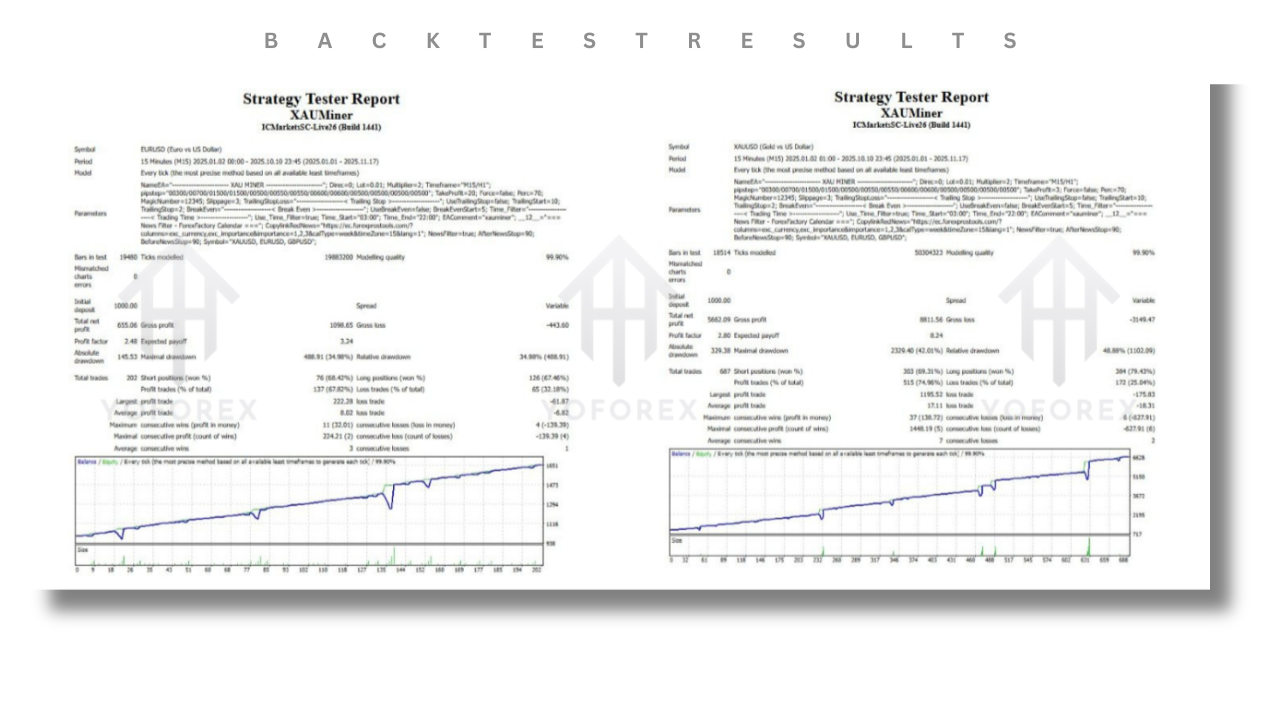
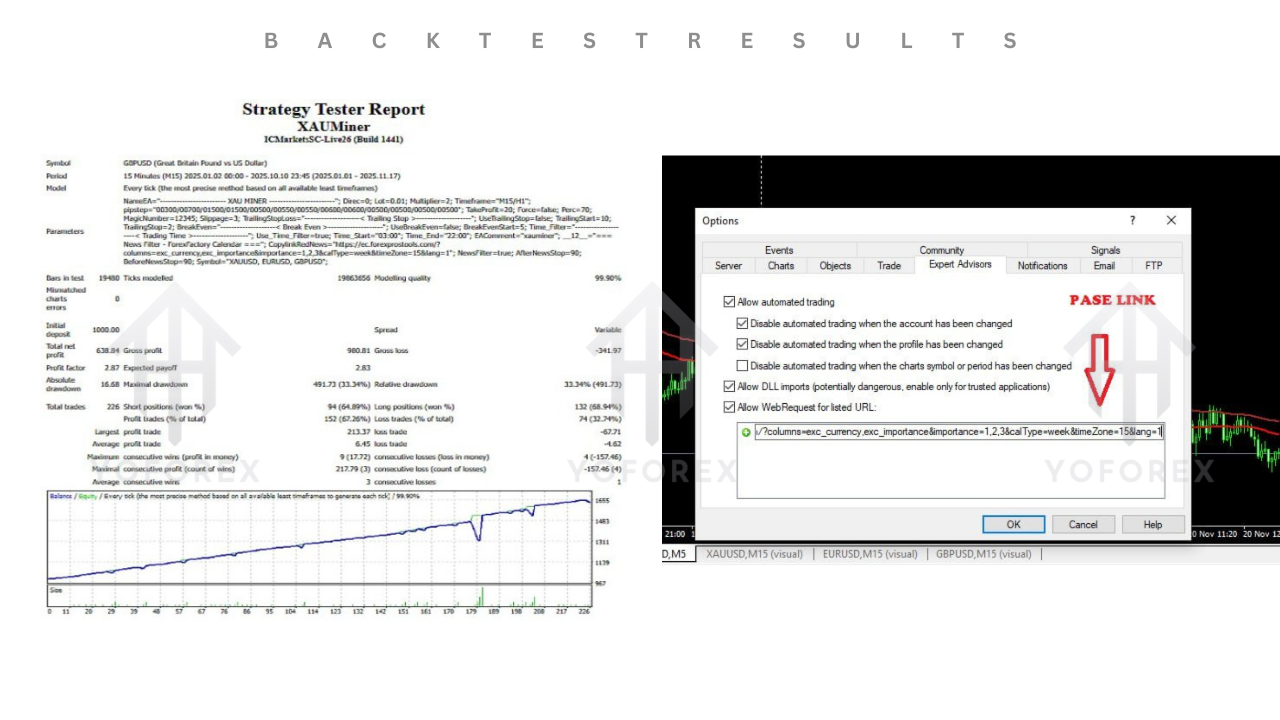
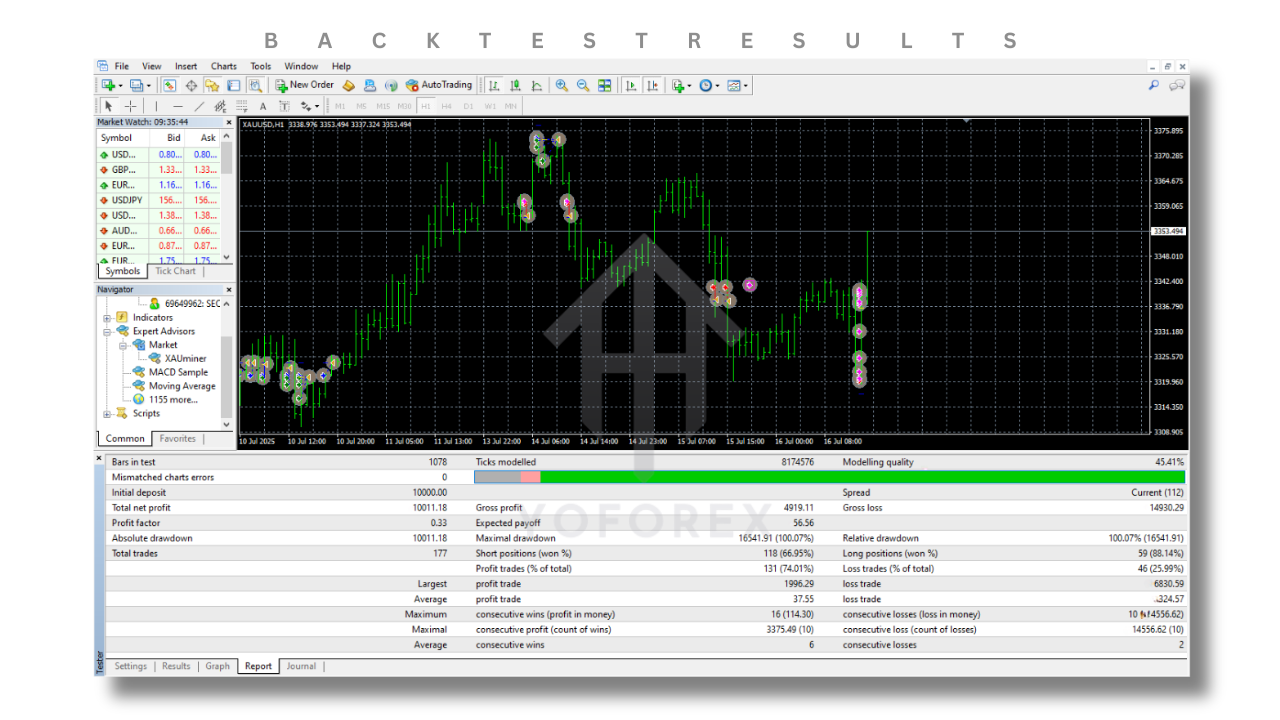
Backtests on tick-accurate data provide a controlled glimpse of XAUminer’s potential:
- 10 years of H1 data (2013–2023)
- Initial balance: $5,000
- Net profit: +220%
- Max drawdown: 32%
- Average trade duration: 2.2 days
- Win rate: 72%
These results highlight a consistent upward equity curve with drawdowns that align with XAUminer’s equity-stop settings. Real-account performance may vary due to slippage and broker execution.
Risk Management Best Practices
Automated grid EAs require diligent oversight:
- Split Capital: Use separate accounts for different risk modes (e.g., $2,000 on LowRisk, $4,000 on MediumRisk).
- Equity Alerts: Set up MT4 email/SMS alerts for equity drawdown thresholds.
- Regular Optimization: Review recent six-month performance and adjust grid step or stop-loss levels to adapt to changing volatility regimes.
- Diversification: Combine XAUminer with non-grid EAs (trend-followers, scalp bots) to reduce portfolio correlation.
Maintaining discipline around these controls helps prevent catastrophic equity events common to unmanaged grid EAs.
Customizing Your Risk Profile
Intermediate traders can fine-tune inputs beyond presets:
- Grid Step Modifier: Increasing to 100–120 points can reduce order frequency in tight markets.
- Lot Multiplier: Reducing martingale from 1.5 to 1.3 lowers compounding but extends recovery time.
- Trailing Stop: Enabling a trailing stop on profitable baskets can lock in gains before price reversal.
- Time Filters: Restrict trading to active sessions (e.g., 08:00–18:00 GMT) to avoid overnight volatility.
Experiment on demo until you find a blend that matches personal risk tolerance and broker environment.
Live-Demo Transition Checklist
Before going live, tick off:
- ✅ Three-month demo run with identical broker settings.
- ✅ Validated backtest vs. demo equity curves (ensures consistency).
- ✅ Stress-testing on lower-liquidity hours (Asian session).
- ✅ Confirmation of timely trade execution and spread checks.
- ✅ Equity stop and email alerts configured.
Only after meeting these criteria should you consider deploying XAUminer V3.91 MT4 on a funded account.
Frequently Asked Questions
Q1: Can I trade other symbols with XAUminer?
Yes. While optimized for XAUUSD, you can experiment on EURUSD or GBPUSD—just adjust grid step and spread filters accordingly.
Q2: What causes large drawdowns?
Extended sideways price action clusters many grid orders. Always use equity stops and consider session filters to mitigate this.
Q3: Is VPS necessary?
A reliable low-latency VPS near your broker’s server reduces slippage and improves order fill consistency.
Q4: How often are updates released?
Minor bug-fix updates (e.g., V3.9→V3.91) occur quarterly. Major feature versions follow community feedback and performance analysis.
Conclusion
XAUminer EA V3.91 MT4 offers an accessible entry point into grid and martingale gold trading, combining smart filters with preset risk profiles. As a beginner, follow the recommended setup and risk-management checklist to build confidence on demo before scaling live. With consistent monitoring, periodic optimization, and disciplined equity controls, XAUminer can become a cornerstone of your automated trading toolkit.
WhatsApp: https://wa.me/+443300272265
Telegram Group: https://t.me/yoforexrobot






Comments (0)
No comments yet. Be the first to comment!
Leave a Comment