
If you’ve been trading forex for a while, you already know how tricky it gets to identify clean supply and demand zones. Sometimes you mark a zone manually, and the price just slices through it… other times you miss a perfect reversal simply coz the zone wasn’t obvious on the chart. That’s exactly where Zone Indicator V1.3 MT4 comes into the picture.
This tool is designed to take the heavy lifting out of your hands by automatically detecting strong trading zones, marking them neatly on the chart, and updating them dynamically as price changes. And honestly, for traders who keep missing entry confirmations due to messy charts, this indicator feels like a real upgrade.
What Exactly Is Zone Indicator V1.3 MT4?
Zone Indicator V1.3 MT4 is a lightweight yet highly effective support and resistance zone detection tool built for MetaTrader 4. Instead of relying on guesswork or manual drawing, this indicator automatically scans historical price data, volume behavior, wick rejections, and liquidity levels to find the strongest zones.
It basically highlights:
- Demand Zones → where buyers previously took control
- Supply Zones → where sellers dominated
- Fresh Zones vs. Retested Zones
- Breakout & retest areas
…so that you get a clear idea of where price is likely to react next.
It doesn’t matter if you’re scalping M1/M5 or swing trading H4/D1, the indicator adjusts itself according to your timeframe. That’s what makes it beginner-friendly and also super useful for advanced price-action traders.
Why Traders Love Zone Indicator V1.3 MT4
This version (1.3) is refined for better accuracy, smoother zone detection, and fewer redraws. It’s not bloated with unnecessary features, but everything in it serves a real purpose.
Here are the major reasons traders prefer it:
- It removes chart noise and keeps only high-quality zones.
- It works with every pair — forex, gold, indices, cryptos, whatever MT4 supports.
- It doesn’t repaint zones after confirmation.
- The alerts are instant and reliable.
- It helps traders avoid emotional entries and stick to structure.
🔍 Key Features of Zone Indicator V1.3 MT4
- Automatic supply & demand zone detection
- Color-coded zones for easier understanding
- Multi-Timeframe detection support
- Non-repainting confirmed zones
- Breakout & retest detection
- Zone strength grading
- Custom alerts (pop-up, sound, push notifications)
- Low CPU usage (optimized for MT4)
- Fresh vs. Mitigated zone labeling
- Works with all assets — XAUUSD, US30, EURUSD, BTC, everything
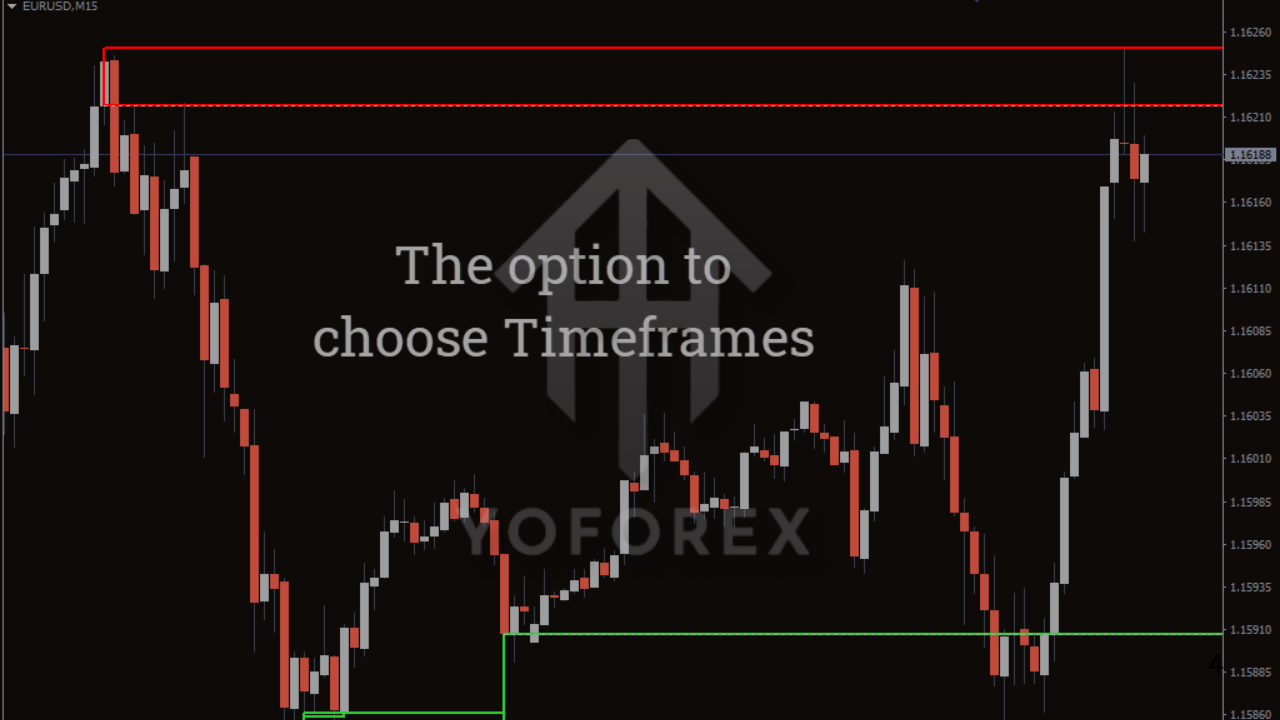
🎯 How Zone Indicator V1.3 MT4 Helps in Real Trading
This indicator isn’t just for drawing pretty zones… it actually helps you refine your entry strategy.
Here’s how traders typically use it:
1. Identify strong reaction zones
The indicator highlights areas where price historically created sharp moves. These zones usually become future reversal or continuation points.
2. Wait for price to return
Most smart traders wait for price to revisit a zone instead of jumping in early.
3. Combine with signals
You can pair this indicator with RSI, MACD, Moving Averages, or candlestick patterns.
For example:
- Bullish engulfing inside a demand zone
- Pin bar rejection inside supply zone
- Breakout retest at a mid-zone
These setups boost probability.
4. Set stop-loss based on zone boundaries
The zone width acts as a natural SL guide.
5. Take entries with much more confidence
No more guessing — you know exactly where smart money could react.
📈 Backtesting & Performance Behavior
- Zones are highly accurate on H1-H4 for swing trading
- On M5-M15, traders get multiple scalping opportunities
- Gold (XAUUSD) and indices like US30 show strong reaction zones
- The indicator does not repaint confirmed zones
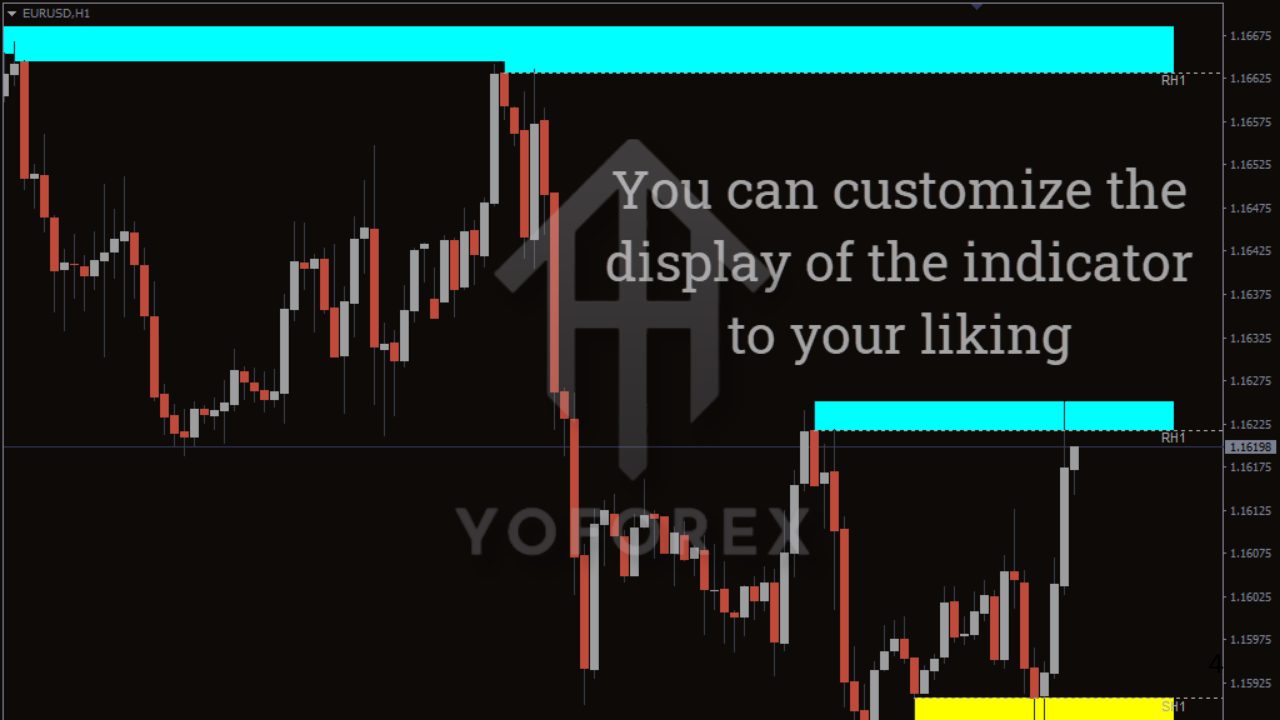
This gives it a strong reliability score, especially for high-volatility assets like gold, NASDAQ, and GBP pairs. Even tho markets are unpredictable, the structure remains one of the few things you can trust — and that’s what this indicator highlights.
⚙️ How to Install Zone Indicator V1.3 MT4
Installing the indicator is straightforward:
- Download the
.ex4file - Open MT4 → File → Open Data Folder
- Go to MQL4 → Indicators
- Paste the file
- Restart MT4
- Attach the indicator to any chart
- Configure colors, alert settings, timeframe sensitivity
If you’re new to MT4 indicators, this is probably the easiest type to start with.
👌 Best Timeframes & Pairs
The indicator works on all timeframes, but traders often prefer:
- Scalping: M5, M15
- Intraday: M30, H1
- Swing: H4, D1
And the best-performing pairs include:
- XAUUSD (Gold)
- EURUSD
- GBPJPY
- US30 / NAS100
- BTCUSD on MT4 crypto brokers
⭐ Final Thoughts – Should You Use Zone Indicator V1.3 MT4?
If your strategy is based on support/resistance, supply-demand, or price action, then yes — Zone Indicator V1.3 MT4 is absolutely worth using. It makes your chart cleaner, your entries smarter, and your trading more structured.
It’s simple enough for beginners, yet powerful enough for advanced traders who want accurate zones without spending hours drawing them.
And honestly, once you trade with it for a few days, going back to manual zone marking feels kinda outdated.






Comments (0)
No comments yet. Be the first to comment!
Leave a Comment