INTRODUCTION
Many traders know the frustration of watching a strong trend develop, only to get shaken out by a pullback or enter late after the move is already extended. Manual trend trading demands constant attention, emotional discipline, and the ability to distinguish real direction from temporary noise.
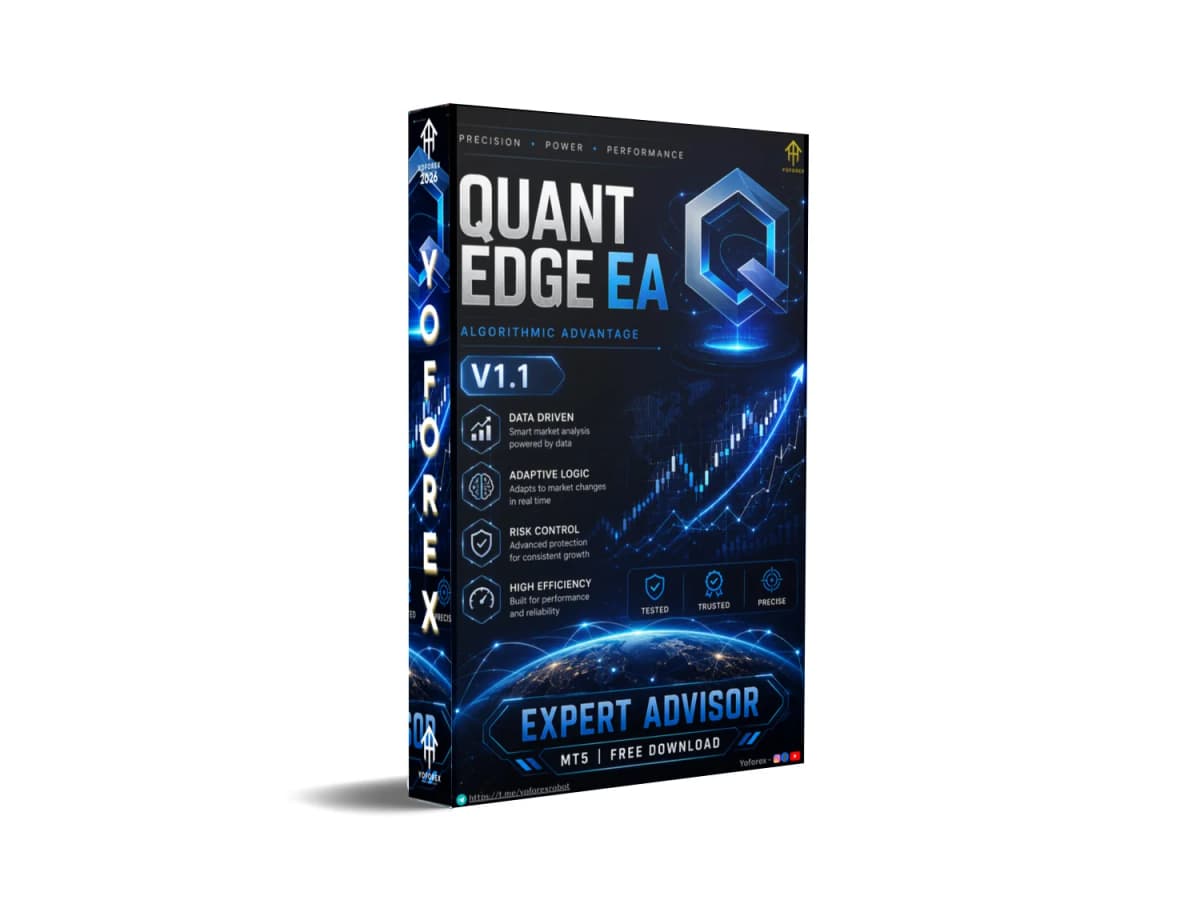
Quant Edge EA V1.1 MT5 is built as a professional trend-following system that attempts to address exactly that problem. It analyzes market behavior to separate pullbacks from genuine trend direction and then executes trades according to current conditions. This article explains what the EA does, how it operates, who it may suit, and what every buyer should verify before using it.
What Is Quant Edge EA V1.1 MT5?
Quant Edge is an Expert Advisor for MetaTrader 5, currently at version 1.1. It is listed on the MQL5 Market and developed by Andrey Barinov.
The system is described as a professional trend-following trading approach. Its core goal is to identify higher-probability opportunities by filtering out pullbacks and focusing on true trend direction. It is designed for traders who prefer a calmer, more consistent long-term style rather than high-frequency scalping or aggressive recovery methods.
It supports all Forex currency pairs and Gold, works with both hedging and netting accounts, and includes built-in status monitoring directly on the chart.
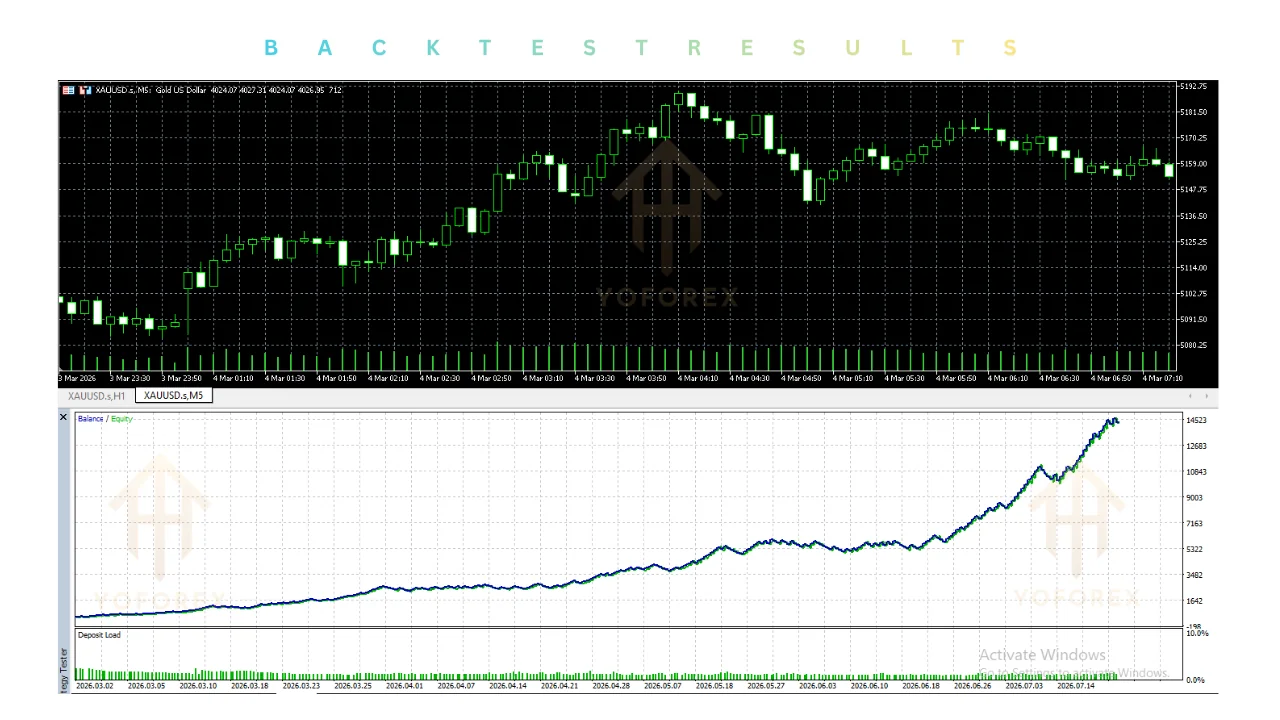
How Does Quant Edge EA V1.1 Work?
The trading process follows a structured flow:
- The EA continuously analyzes price action and market behavior on the attached chart.
- It applies analytics to distinguish temporary pullbacks from sustained trend direction.
- When conditions align with its rules, it opens a trade with predefined Stop Loss and Take Profit levels.
- These SL and TP values remain fixed after the trade is opened.
- Additional filters (news, spread, daily loss, and total drawdown) can block or pause trading when conditions are unfavorable.
- A clear status dashboard on the chart shows the EA’s current state, including connection and AutoTrading status.
The developer notes that changing the Stop Loss and Take Profit values (set in points) will affect the number of trades taken. Setups that do not match current market conditions are simply ignored. Expected activity is roughly 5–20 trades per week, depending on volatility, the chosen instrument, and settings.
This is explicitly not positioned as a “get-rich-quick” system. Losing trades are described as a normal part of the process.
Key Features
Documented features from the product description include:
- Trend analysis logic that aims to separate pullbacks from true trend direction
- Institution-grade analytics and advanced market projections with condition filtering
- Fixed Stop Loss and Take Profit on every trade (unchanged after entry)
- Max Daily Loss Limit – stops trading once the daily loss threshold is reached
- Total Drawdown Limit – measured from the highest balance or equity peak
- News Filter using two economic calendar sources, with news shown on the chart
- Spread Filter that blocks trades when spread exceeds the allowed value
- On-chart status dashboard for Terminal Connection and AutoTrading monitoring
- Magic Number support for running multiple instances
- Compatibility with hedging and netting accounts
- Low leverage requirements (operates from 1:30, recommended 1:100 or higher)
Quick Features Table
| Feature | Details |
|---|---|
| Platform | MT5 |
| Strategy | Trend following (pullback vs true trend filter) |
| Trading Style | Systematic / trend-based |
| Pairs | All Forex pairs + Gold |
| Timeframe | User-selected (test recommended) |
| Risk Management | Fixed SL/TP, daily loss limit, total DD limit, news & spread filters |
| Automation | Full once attached and enabled |
| Best For | Traders seeking calmer trend-following automation |
Practical advantages that follow directly from the design:
- Defined risk on every trade – SL and TP are set at entry and stay fixed.
- Multiple protective layers – daily loss limit, equity drawdown limit, news filter, and spread filter reduce exposure during unfavorable periods.
- Clear visibility – the on-chart dashboard helps you see whether the EA is active and connected.
- Broad instrument coverage – works across Forex pairs and Gold without being locked to a single symbol.
- Account flexibility – supports both hedging and netting, and can run on relatively low leverage.
- Moderate trade frequency – 5–20 trades per week leaves room for monitoring without constant screen time.
These benefits depend on proper configuration, realistic expectations, and ongoing oversight.
Who Is Quant Edge EA V1.1 For?
This EA is most suitable for:
- MT5 traders who prefer trend-following over pure scalping or grid systems
- Intermediate and experienced traders who already understand risk management and backtesting
- Busy traders looking for systematic automation with clear protective rules
- Those who want fixed SL/TP and daily/equity loss limits built in
- Traders willing to run their own Strategy Tester and demo tests
- Users comfortable with moderate trade frequency rather than dozens of trades daily
Beginners can use it after learning basic MT5 operation, position sizing, and how to interpret the dashboard and filters.
Who Should Avoid It?
Consider other options or proceed with extra caution if:
- You expect high-frequency scalping or very frequent trades
- You want a system without fixed Stop Loss
- You are unwilling to test settings or monitor performance
- Your broker has consistently wide spreads or poor execution on your chosen pairs
- You need a fully “set and forget” system with zero oversight
- You are looking for guaranteed or high-percentage monthly returns
No Expert Advisor fits every trader or every market regime.
Quant Edge EA V1.1 vs Manual Trading
| Aspect | Quant Edge EA V1.1 MT5 | Manual Trend Trading |
|---|---|---|
| Trend identification | Rules-based pullback vs trend filter | Discretionary judgment |
| Risk per trade | Fixed SL/TP at entry | Trader decides each time |
| Emotional influence | Minimal once running | High during drawdowns or strong moves |
| Time commitment | Low after setup + periodic review | High (continuous chart watching) |
| Filters | News, spread, daily loss, equity DD | Manual awareness only |
| Consistency | Same logic every time | Varies with trader state |
What to Check Before Buying
Use this practical checklist:
- Strategy fit – Confirm you understand and accept a trend-following approach with fixed SL/TP.
- Risk settings – Review Max Daily Loss Limit, Total Drawdown Limit, and point-based SL/TP values.
- Drawdown behavior – Test historical and forward performance under realistic spreads and slippage.
- MT5 compatibility – Verify it runs on your terminal build.
- Broker compatibility – Test spreads, commissions, and execution quality on your intended pairs (especially gold).
- VPS – Decide between MQL5 VPS or a regular VPS; both are supported.
- Settings – Understand that changing SL/TP affects trade frequency. Use the Magic Number correctly if running multiple instances.
- Support – Note the developer’s availability for questions before and after purchase.
- Testing – Always run the Strategy Tester and a demo account before risking real capital.
The product is available on the MQL5 Market, where you can also download a free demo for testing.
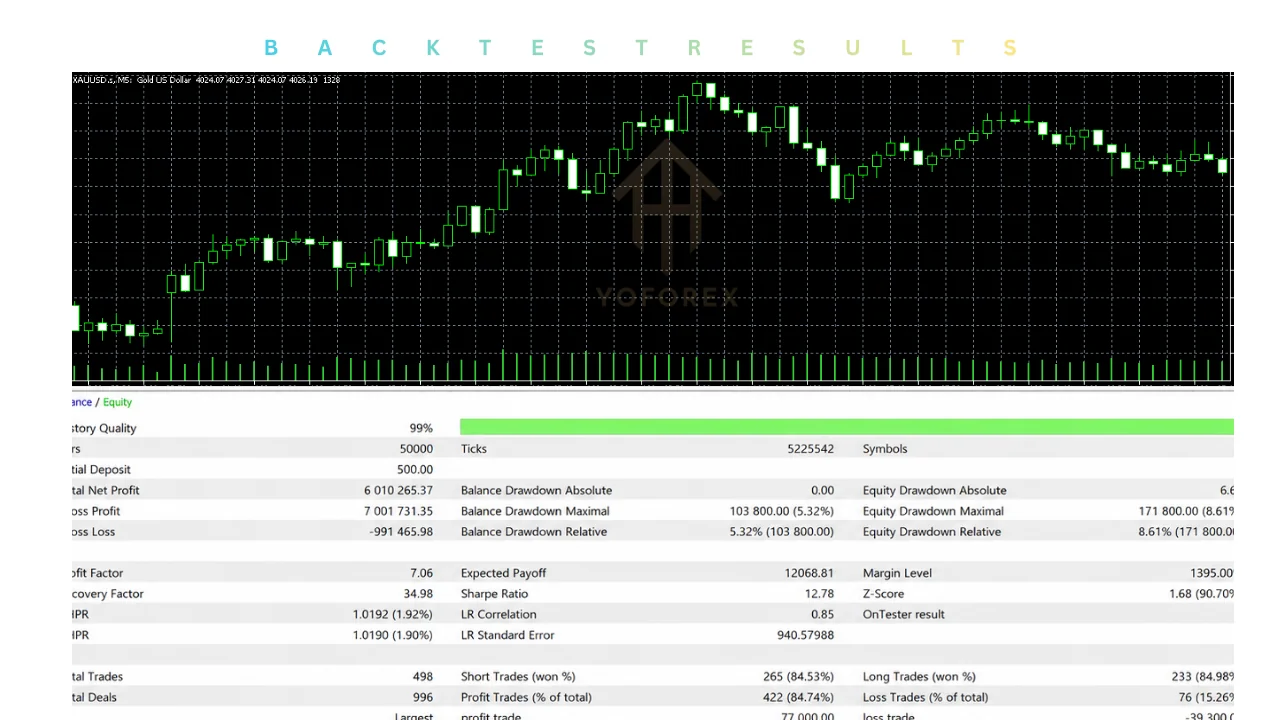
How to Get Started
- Locate Quant Edge (version 1.1) on the MQL5 Market.
- Purchase or download the free demo.
- Install it in your MT5 Experts folder and restart the terminal.
- Attach the EA to a chart of a Forex pair or Gold.
- Configure SL/TP in points, daily loss limit, drawdown limit, news and spread filters, and Magic Number.
- Enable AutoTrading.
- Start on a demo account and observe the dashboard, trade frequency, and filter behavior for several weeks.
- When moving to live, begin with conservative risk settings and monitor regularly.
- Use a VPS for stable 24/5 operation if desired.
Never skip thorough testing.
FAQs
Is Quant Edge only for gold?
No. It is designed for all Forex currency pairs and Gold.
Does every trade have a Stop Loss?
Yes. Each trade opens with predefined Stop Loss and Take Profit levels that remain unchanged.
How many trades can I expect?
Approximately 5–20 trades per week, depending on market volatility, instrument, and settings.
Can it run on low leverage?
Yes. It can operate on 1:30 leverage; 1:100 or higher is recommended.
Does it work with both hedging and netting accounts?
Yes.
Is there a news filter?
Yes. It uses two economic calendar sources and can display news on the chart.
Where can I buy or test it?
On the MQL5 Market (search for Quant Edge by Andrey Barinov). A free demo is available.
Will changing SL and TP settings affect results?
Yes. The developer notes that modifying these values will change the number of trades taken.
CONCLUSION
Quant Edge EA V1.1 MT5 offers a structured trend-following approach with clear protective features: fixed stops, daily and equity loss limits, news and spread filters, and an on-chart status dashboard. It is aimed at traders who prefer a calmer, rules-based style over high-frequency or recovery-heavy systems.
Its usefulness depends on how well the logic matches your instruments, risk tolerance, and willingness to test thoroughly. Understand the strategy, run proper backtests and demo trials, respect the risk limits, and treat the EA as a tool that still requires oversight.
If this trend-following design aligns with your goals, visit the Quant Edge product page on the MQL5 Market to review the latest description, download the free demo, and decide whether to proceed. Start small, test carefully, and only risk capital you can afford to lose.
REFERRAL
Join the VIP Signals Telegram Channel for real-time expert trading signals and stay ahead in the forex market. Get personalized strategies by becoming a part of our Real Account Management Telegram Channel and optimize your trading experience. If you’re aiming to Pass PropFirm Challenges , join our dedicated channel for tips and proven methods. Start managing your capital effectively with expert advice from our Funded Account Management Telegram Channel. For advanced traders, our HFT EA / Passing Telegram Channel offers high-frequency trading insights and strategies to boost your performance.
Free Trading Tools
Download Expert Advisors & Indicators
Write for Us
Share your expertise with our community
Download Available
Get this trading tool for free